Real estate QR code for listings and 360 tours
Make a QR code for a listing, a 360 tour, a WhatsApp chat or your contact card, sized for the window card, the sign or the flyer. Free, no account, and it never expires.
Your link stays on your deviceFree, no accountUpdated
What the code opens
Best: a page that works on a phone at the window, such as a 360 tour.
How it looks
PNG, JPEG, WebP or SVG. It is not uploaded.
Where it is printed
Rule of thumb: the code's width is at least a tenth of the distance it is read from. From 3 ft: at least 3.5 in. This size reads from up to about 3 ft.
Your QR code
Paste a link to make the QR code.
Sharp at any size: for signs and print shops.
Window card (A5 or A4)
A card ready to print: a headline, the QR code at 3.9 in, one line that says what scanning does, and your details.
Print at 100% (actual size), not "fit to page".
To make a QR code for a property listing, paste the link of the page buyers should land on, choose where the code will be printed, and download it as a PNG or an SVG. The best link is a page that works on a phone at the window: a 360 tour lets someone standing in the street walk through the home before they call. This free QR code generator for real estate checks the link, warns you when the code gets dense or the colours are too weak, sizes the code for the distance it is read from, and can tag the link so you know which scans came from the sign. The code is static: it holds your link itself, so it keeps working for as long as the page does.
Made by Vistura, the virtual tour platform for estate agents
| Opens | A link (listing page, 360 tour, agent page), a WhatsApp chat with a message already typed, or a contact card (vCard). |
|---|---|
| Look | Your colours with a contrast check, your logo in the middle (error correction H), and a quiet zone of 4 modules (the standard) by default. |
| Sizes | Flyer, window card A5 or A4, for sale sign, or your own; checked against the distance it is read from. |
| Files | PNG at 300 dpi or more for codes up to 13 in (33 cm) wide, SVG for any size, and a window card (A5 or A4) as a PNG. |
| Expires | Never: the code holds your link itself. |
| Privacy | Made in your browser. The link, the logo and your details are not sent anywhere (Privacy policy). |
| Price | Free, no account, no watermark. |
Put a 360 tour behind the QR code
Vistura is virtual tour software for real estate. Each room is a 360 photo, the tour opens from one link on any phone, and every tour comes with its own QR code to print.
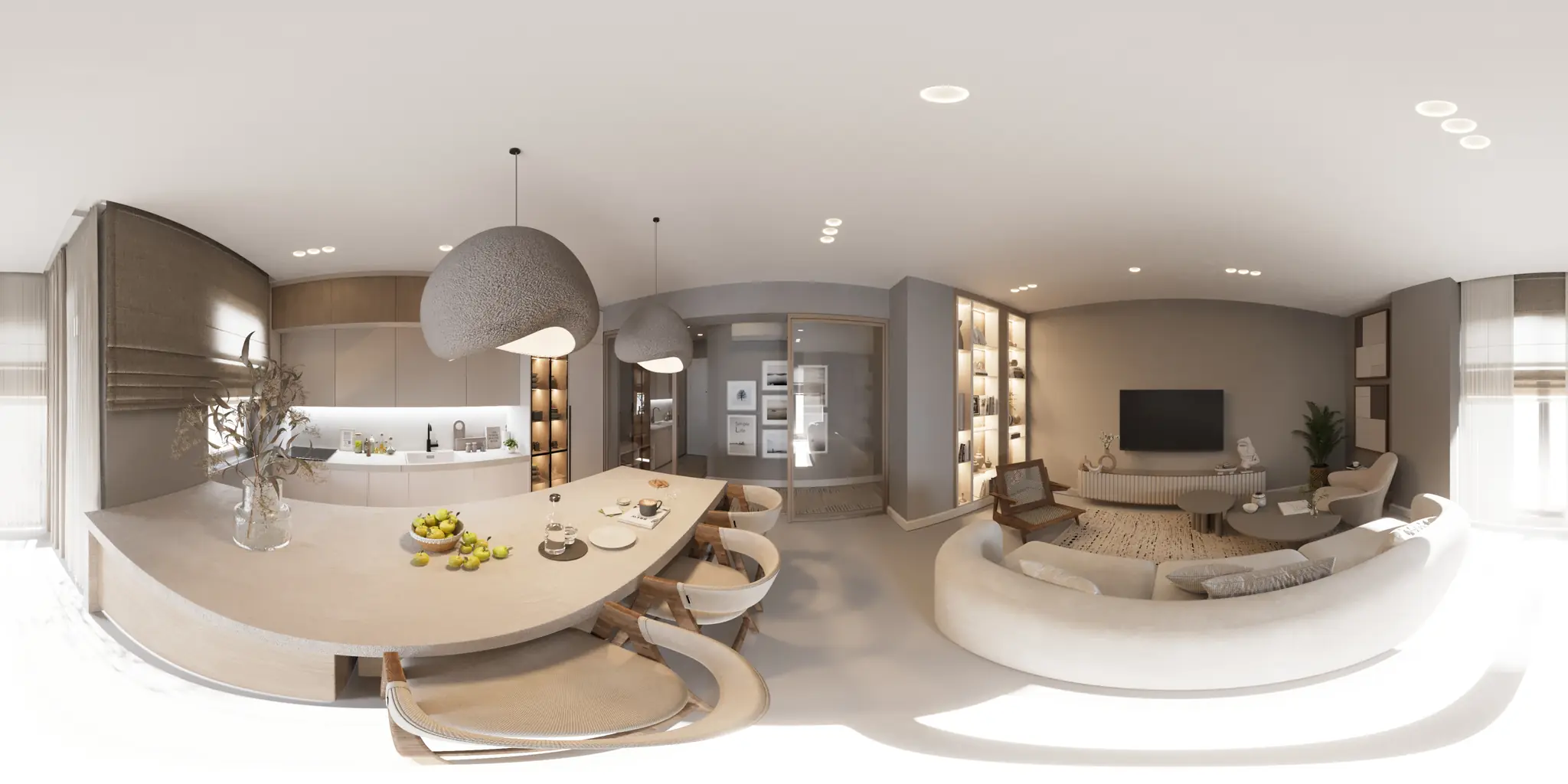
One 360 photo per room. 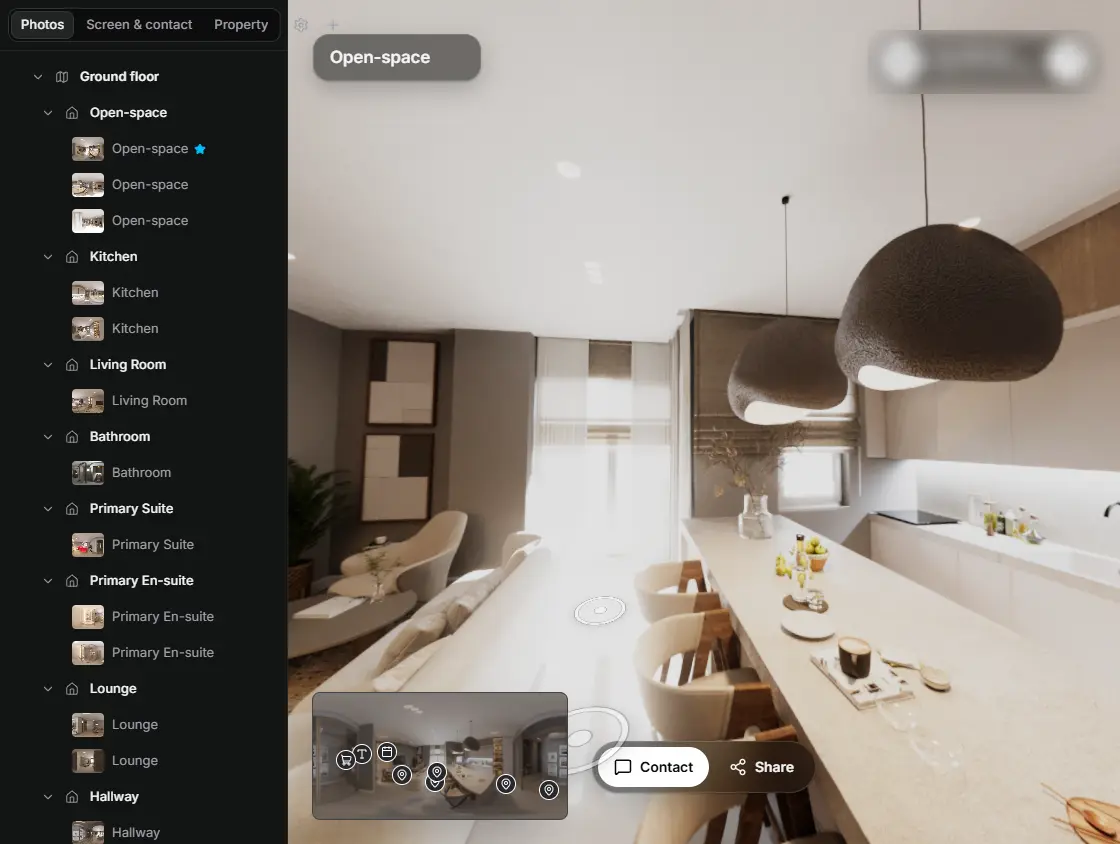
In the editor, drag a room onto its doorway and the two rooms are linked. 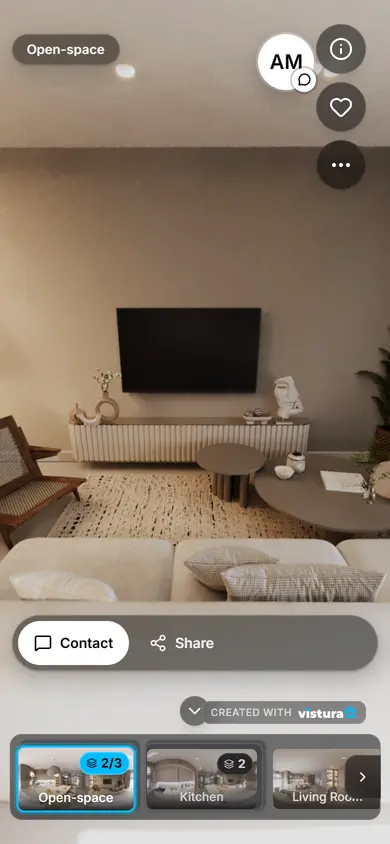
Buyers open the link on any phone, walk from room to room and can send you a question from inside the tour.
Free plan: 3 tours online at a time, with Vistura branding. Pro: unlimited tours online, with your own logo and colours.
How do you make a QR code for a real estate listing?
- Choose what the code opens: a link (the listing page, the 360 tour or your agent page), a WhatsApp chat with a message already typed, or your contact card.
- Paste the link. The tool adds https:// if it is missing and tells you when something in the address is wrong.
- Tick the tag if you want to count the scans: the tool adds utm_source (the place, such as window-card) and utm_medium=qr to the link.
- Choose where it will be printed: a flyer, a window card or a sign. The tool sets a size and checks it against the distance people read it from.
- Pick the colours and add your logo if you like, then download the PNG for print, the SVG, or a ready window card. Scan it with two phones before you print a batch.
What should a property QR code link to?
Someone scanning a window card is standing in the street with a phone. The page behind the code should load fast on mobile data and show the home straight away: not a search page, not a PDF to download, not a page that asks them to sign in.
A 360 tour of the home is the strongest answer: the person walks through the rooms right there, at any hour, and the people who call you already like the layout. The listing page on your website or on a portal comes next, with the photos and the price. Your agent page suits a sign or a card that stays up for many homes.
For a quick contact, the WhatsApp option opens a chat with your number and a message already typed, such as "Hello, I saw your sign and I'd like to know more about this home." The person only has to press send. The contact card option saves your name, agency, phone and email in their phone.
Where to put a QR code for a property
- Window card: A5 or A4, in the agency's window or the home's. By the rule of thumb below, a code of 3.5 to 5.5 in (9 to 14 cm) reads from about 3 to 4.5 ft; behind glass, test a printed copy.
- For sale sign: read from the sidewalk, so it has to be large: 10 in (25 cm) or more for 8 ft (2.5 m). A small sticker on a big board only works for people who walk right up to it.
- Flyers and brochures: held in the hand, so 1.4 in (3.5 cm) is enough.
- Printouts for viewings and portal listings: a code next to the photos sends people to the 360 tour or the full listing from the paper they are holding.
Size and contrast rules
A rule of thumb: the code's width is at least a tenth of the distance it is read from. It is a starting point, not a standard: a dense code, dim light or glare on the glass need more. The tool shows the minimum for your distance and warns you when the code is smaller.
Contrast: dark modules on a light background, as dark and as light as you can. Some scanner apps and older phones do not read light codes on dark backgrounds, so the tool warns you when the colours are inverted. Keep the quiet zone, the empty border around the code: four modules is the standard.
Logo: a logo in the middle covers part of the code. The tool raises error correction to H, the highest level, which can restore about 30% of the code's data (its codewords) when part of it is damaged or covered, and keeps the logo to 24% of the code's width or less.
| Where | Read from | Code width, at least |
|---|---|---|
| Flyer or brochure | 1 ft (30 cm) | 1.2 in (3 cm) |
| Window card A5 | 3 ft (0.9 m) | 3.5 in (9 cm) |
| Window card A4 | 4.3 ft (1.3 m) | 5.1 in (13 cm) |
| For sale sign | 8 ft (2.5 m) | 10 in (25 cm) |
Test with two phones before you print
- On screen: scan the code with two different phones, an iPhone and an Android phone if you can, using the camera app rather than a scanner app.
- On paper: print one copy at the real size and scan it from where people will stand, through the glass if it goes in a window.
- The page: check that it is the right home, that it loads on mobile data, and that it opens without signing in.
Static or dynamic QR code?
A static QR code holds your link itself. It never expires, needs no account and works for as long as the page it opens is online. The codes this tool makes are static.
A dynamic QR code holds a short link of the service that made it, which then forwards to your page. You can change the destination after printing and see scan counts, but the code only works while that service keeps forwarding. Some "free" generators make dynamic codes that stop forwarding when a trial or a subscription ends; the printed codes then lead to an error or a payment page. Read the terms before you print a batch.
To change what a printed code opens, point it at a page you control whose address stays the same, such as your own listing page or a tour's short link, and change that page instead.
Count the scans with UTM tags
A static code cannot count scans by itself, so tag the link instead. With the option ticked, the tool adds utm_source (the place, such as window-card or sign) and utm_medium=qr. Google Analytics and most website statistics then show these visits apart from the rest, place by place.
Use one tag per place, such as window-card for the window and sign for the board, and you will see which one brings visits. Keep the tag short: every character makes the code a little denser.
In a Vistura tour, visits from a link tagged utm_medium=qr count as QR code visits in the tour's statistics. Every plan sees the visits and contacts; which of them came from the QR code, WhatsApp or the portals is shown on Pro.
Questions
Do these QR codes expire?
No. The code holds your link itself, so no service can switch it off. It works for as long as the page it opens is online.
Can I use the QR code commercially, on signs and adverts?
Yes. No account, no watermark, no limit on how many codes you make. Use them on window cards, signs, flyers, brochures and adverts.
What size should a QR code be on a for sale sign?
At least a tenth of the distance it is read from: for someone on the sidewalk 8 ft (2.5 m) away, 10 in (25 cm) or more. It is a rule of thumb, so scan a printed copy from where people will stand.
Can I put my agency logo in the middle?
Yes. Add it under "How it looks": the tool switches error correction to H and keeps the logo small enough for the code to read. Scan the printed code with two phones; a logo with fine detail or weak contrast may need to be smaller.
Is my link sent anywhere?
No. The code is made in your browser. The link, the logo and your contact details are not sent to Vistura or anywhere else. Your settings are kept in this browser only, so they are there next time.
Can I change the link after printing?
Not in a static code. Point the code at a page whose address stays the same, such as your listing page or a tour's short link, and update that page.
Your next listing, as a tour
One 360 photo per room, linked together, shared in one link.
Free plan: 3 tours online at a time, with Vistura branding. Pro: unlimited tours online, with your own logo and colours.