Watermark your real estate photos
Your agency logo or a line of text on every listing photo at once, and on 360 photos your logo on the floor. Free, no account, and the photos stay on your device.
Your photos stay on your deviceFree, no accountUpdated
Drop your listing photos here
Several photos at once: listing photos or 360 photos, as JPEG, PNG or WebP. They are read on this device and never uploaded.
To add a watermark to your property photos, choose them all here, then add your logo, a line of text (your agency's name, phone or website) or both. Pick where it goes: one of nine places, or a diagonal pattern over the whole photo, with its size, opacity and margin. The first photo shows the result live; one click puts it on every photo, and you download them one by one or in a ZIP. A 360 photo gets your logo on the floor, where it also hides the tripod, and stays a 360 photo. Your logo and settings are remembered on this device for the next listing. The photos never leave your device.
Made by Vistura, the virtual tour platform for estate agents
| Photos | Listing photos and 360 photos as JPEG, PNG or WebP, several at once, ordinary photos up to 100 megapixels, 360 photos up to 16,384 pixels wide. |
|---|---|
| Your mark | A logo as PNG (a transparent background works best), SVG, JPEG or WebP, and/or a line of text in the colour you choose. With both, the text sits under the logo. |
| Placement | Nine places (corners, edges, centre) or a diagonal pattern over the whole photo. Size as a share of the photo's width, opacity and margin, the same on every photo whatever its size. |
| 360 photos | Your logo on the floor, on a disc that covers the tripod (any colour, or none), or small on the horizon, in the middle of the photo. The photo keeps its 360 metadata and opens as a 360 photo in a Vistura tour and in 360 viewers that read it. |
| Output | Each photo at its own size and orientation. A flat PNG up to 16 megapixels stays a PNG; anything else is a JPEG at high quality. The new files carry no location, date or camera data. |
| Remembered | Your settings and your logo (up to 1.5 MB) stay in this browser, on this device, for the next batch; one button forgets them. |
| Privacy | Runs on your device: no photo or logo is sent anywhere (Privacy policy). |
| Price | Free: no account, no Vistura mark on your photos, no limit on how many. |
What Vistura does with a photo like this
Vistura is virtual tour software for real estate. The tools are free; the tours are what we sell.
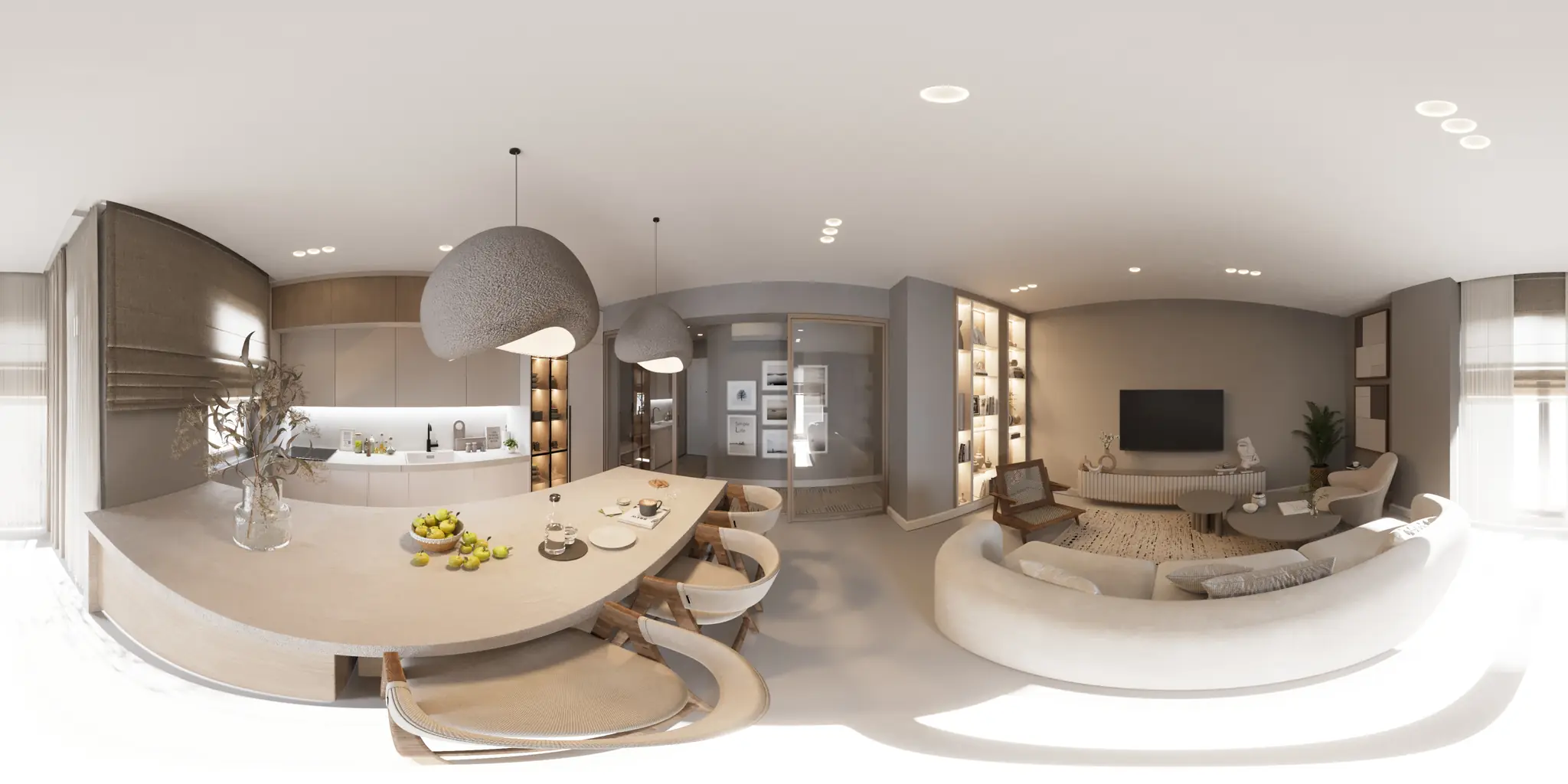
One 360 photo per room. 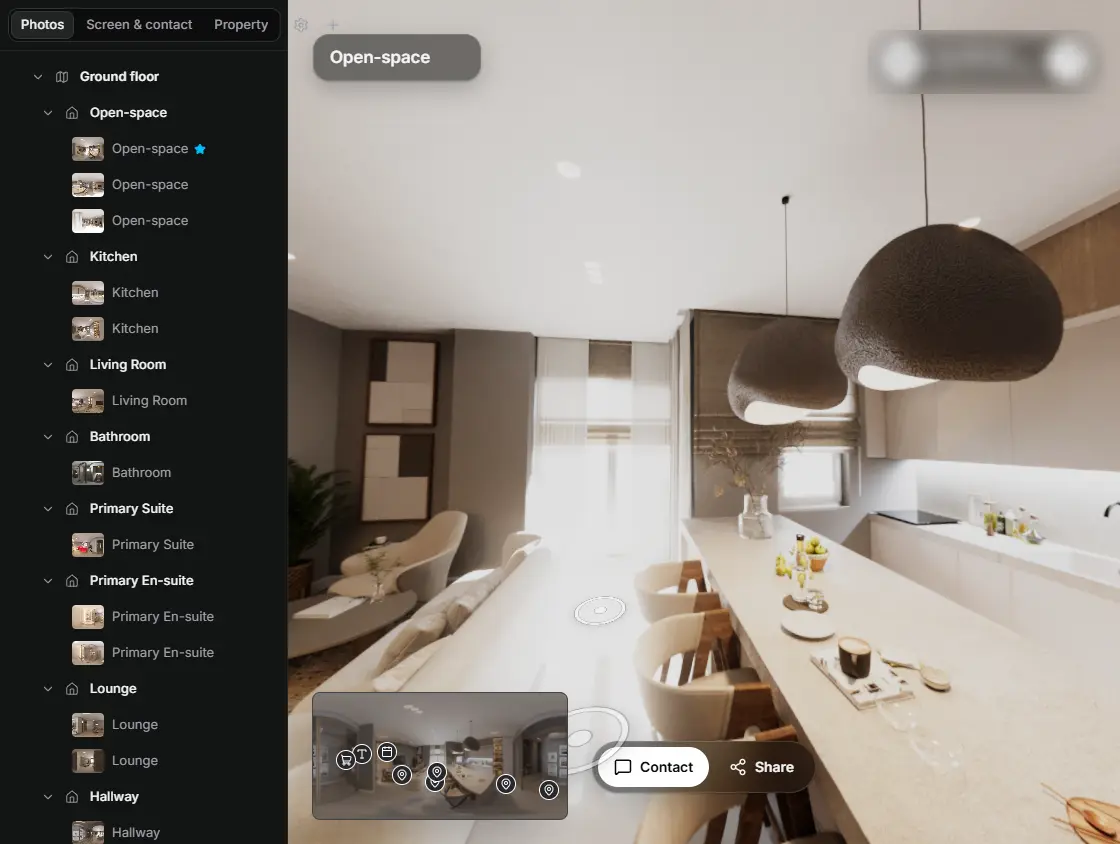
In the editor, drag a room onto its doorway and the two rooms are linked. 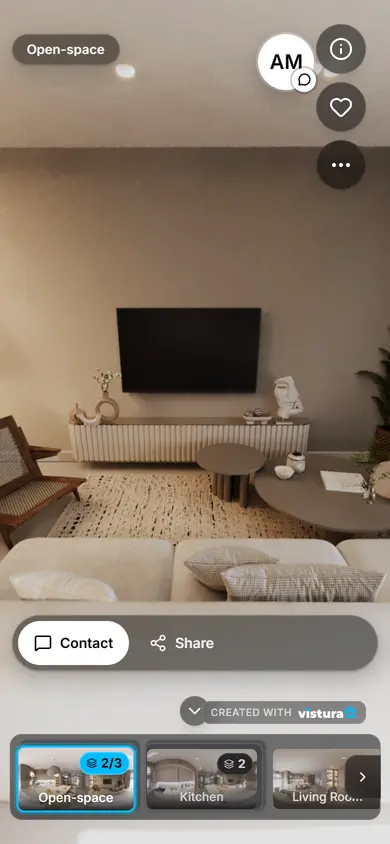
Buyers open the link on any phone, walk from room to room and can send you a question from inside the tour.
Free plan: 3 tours online at a time, with Vistura branding. Pro: unlimited tours online, with your own logo and colours.
How do I add a watermark or logo to my property photos?
- Choose your photos: all the photos of a listing at once, on a phone or a computer. 360 photos can be in the same batch.
- Add your mark: choose your logo file, type a line of text (your agency's name, phone number or website), or both.
- Place it: a corner, an edge, the centre, or the diagonal pattern over the whole photo. Set its size, opacity and margin while the first photo shows the result.
- Check a 360 photo: it shows its floor seen from above, with your logo on a disc where the tripod was.
- Download: one click puts the mark on every photo. One photo comes as a single file; several come in a ZIP, and you can also save them one by one.
Your logo on 360 photos
In a 360 photo, a logo in a corner would end up stretched across the ceiling or the floor. The usual place is straight down, on the floor under the camera: that spot shows the tripod, so a disc with your logo covers it and brands the room at once. Anyone who looks down sees your logo instead of three legs.
If you prefer, the logo goes small on the horizon instead, in the middle of the photo. Either way the photo keeps its size and its 360 metadata, and opens as a 360 photo in a Vistura tour and in 360 viewers that read it.
A 360 photo is recognised by its metadata. A photo twice as wide as it is tall without that metadata shows a box to treat it as a 360 photo.
Why agents watermark listing photos
- Copied photos: listing photos get copied to other sites and other agents' ads. A logo shows where they came from.
- Your brand: every photo shared on social media, in messages or by buyers to their family carries your agency's name.
- Your photographer's work: photographers mark the photos they deliver so their work is credited.
- Contact: a phone number or website on the photo leads a buyer who only saw the photo back to you.
Before you upload to a property portal
Some property portals and listing services do not accept photos with logos, watermarks or contact details on them, or ask for them to be small. Check your portal's photo rules before you upload marked photos, and keep the clean originals: this tool never changes them, it writes new files.
Where marks are allowed, a small logo in a corner at about 70% opacity protects the photo without hiding the room. Keep the diagonal pattern for photos you send around or post on social media.
How to make a watermark that works
- Use a PNG with a transparent background: the logo then sits on the photo without a white box round it.
- Have a white or light version of your logo: it reads on most interior photos, which are darker than a logo's usual white background.
- Keep it to about 15 to 20% of the photo's width, in a corner away from what the photo shows best.
- Use the same place and size on every photo of a listing, so the set looks consistent. This tool does that for you, and remembers it for the next listing.
Questions
Are my photos or my logo uploaded?
No. Everything is opened and made in this page, on your device. Nothing is sent to Vistura or anywhere else. Your settings and your logo (up to 1.5 MB) stay only in this browser, so the next batch is one click, and one button forgets them.
Is it free? How many photos can I do?
Free, with no account and no limit. Only your own mark goes on the photos, never Vistura's.
Does it lower the quality or change the size of my photos?
Each photo keeps its own width, height and orientation. A flat PNG up to 16 megapixels stays a PNG; anything else is written as a JPEG at high quality. Your original files are not changed.
Does a 360 photo still work in a virtual tour?
Yes. The tool writes the 360 metadata again for the new file, so it keeps its 360 metadata and opens as a 360 photo in a Vistura tour and in 360 viewers that read it. The logo is painted into the photo, on the floor or on the horizon.
Can I put a watermark on photos for a portal?
Portal rules differ: some accept a small logo, some do not accept watermarks, logos or contact details on photos. Check your portal's photo rules first and keep your clean originals.
My iPhone saves HEIC photos. Do they work?
Use JPEG, PNG or WebP. When you choose photos from an iPhone's library in Safari, they usually arrive as JPEGs. To take JPEGs from the start: Settings > Camera > Formats > Most Compatible.
Your next listing, as a tour
One 360 photo per room, linked together, shared in one link.
Free plan: 3 tours online at a time, with Vistura branding. Pro: unlimited tours online, with your own logo and colours.