Real estate commission calculator
Work out the commission on a home sale, what each agency, agent and broker gets, and what the seller keeps. Free, no account.
Your figures stay on your deviceFree, no accountUpdated
Result
Enter the sale price and the commission to see the result.
An estimate from your figures. The agreement with the agency decides what is owed; this is not legal or tax advice.
To calculate a real estate commission, multiply the sale price by the commission rate, then add any tax on it: at 4% of a $450,000 sale, for example, the commission is $18,000. This calculator also takes a flat fee instead of a percentage, a sales tax or VAT added to the commission or already included in it, the split between the listing agency and another agency, and the split between the agent and the broker. You see the total commission, the tax, what each party gets and the seller's net from the sale before other costs. The agreement with the agency decides what is owed: this is a calculation, not legal or tax advice.
Made by Vistura, the virtual tour platform for estate agents
| Commission | A percentage of the sale price, or a flat fee. |
|---|---|
| Tax | Any sales tax or VAT rate, added to the commission or already included in it. Starts at 0 on this page. |
| Splits | Between two agencies (50/50, 60/40, 70/30 or your own share), and between agent and broker (50/50 to 80/20 or your own). |
| Who pays | The seller pays it all, or a share you set, and the buyer the rest. |
| Result | Total commission, tax, each party's part and the seller's net, to the cent; the parts always add up to the total. Copy it as text. |
| Privacy | Runs in your browser. Nothing you type is sent anywhere (Privacy policy). |
| Price | Free, no account. |
Show the home as a 360 tour
Vistura is virtual tour software for real estate agents. Each room of the home is a 360 photo, and buyers walk through it from a single link you share.

One 360 photo per room. 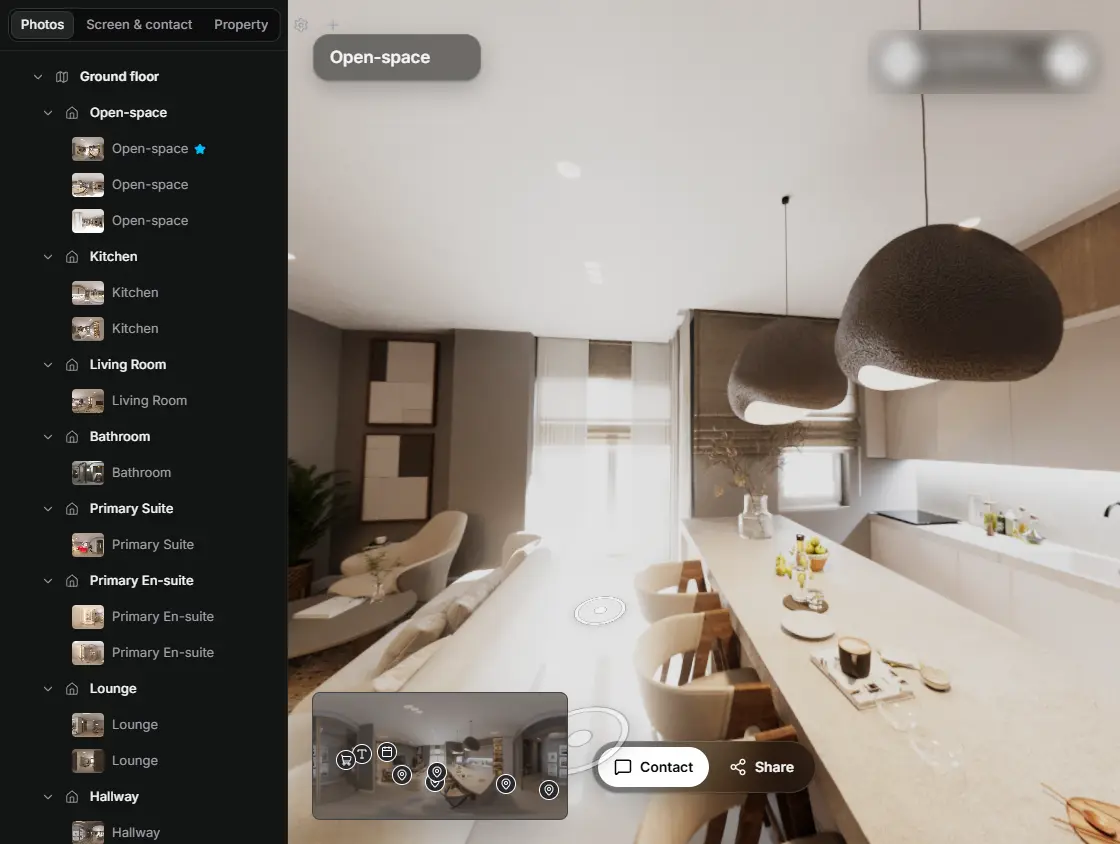
In the editor, drag a room onto its doorway and the two rooms are linked. 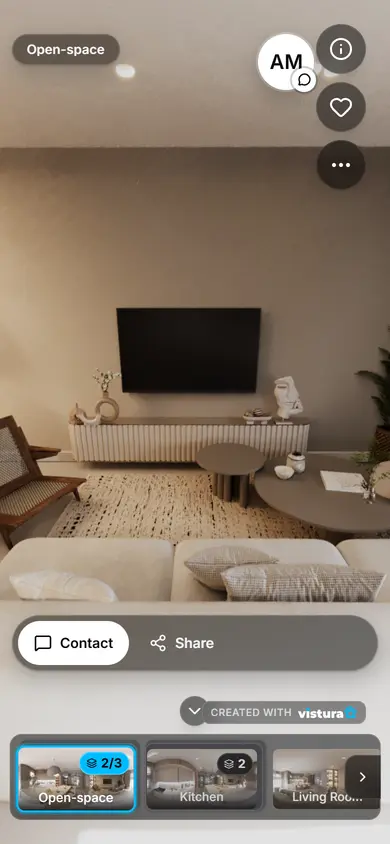
Buyers open the link on any phone, walk from room to room and can send you a question from inside the tour.
Free plan: 3 tours online at a time, with Vistura branding. Pro: unlimited tours online, with your own logo and colours.
How to calculate a real estate commission
- Enter the sale price: the price agreed, or the asking price for a first estimate.
- Choose a percentage or a flat fee, and type the rate or the amount in your listing agreement.
- Add the tax on the commission if one applies. Tick "The figure already includes the tax" when the quote you have is the total with tax.
- Split it if two agencies share the sale, and between agent and broker to see each person's part.
- Read the result: the commission with and without tax, each party's part and the seller's net. Copy it as text for the seller or for your records.
The formulas
- Commission: sale price × rate. At 4% of $450,000, that is $18,000.
- Tax added: commission × tax rate. With VAT at 20%, $18,000 becomes $21,600.
- Tax included: commission ÷ (1 + tax rate). A $21,600 fee including 20% VAT is $18,000 before tax and $3,600 of VAT.
- Split: each side's share of the commission. A 50/50 split of $18,000 gives $9,000 to each agency; a 70/30 agent and broker split of one side gives the agent $6,300 and the broker $2,700.
- Seller's net: sale price minus the seller's part of the commission. Other costs of the sale, such as taxes, fees or paying off a mortgage, come off after that.
- Effective rate: the commission with tax ÷ the sale price. It is the figure to compare quotes with.
How commission works in the US
Commission is negotiable: no law sets a rate, and the listing agreement between the seller and the brokerage says what the seller pays. It is usually a percentage of the sale price, paid at closing, and the listing brokerage may share part of it with the buyer's brokerage.
Since 17 August 2024, under the National Association of REALTORS® settlement, offers of compensation to buyer brokers are no longer made on the MLS, and buyers working with a REALTOR® sign a written agreement with their agent before touring a home, which says what the agent is paid (NAR: the facts). A seller can still agree to pay part of the buyer's agent's fee: set the seller's share under "Who pays".
Inside a brokerage, the agent's part is set by their agreement with the broker. Use the agent and broker split for it.
Sales tax and VAT on a commission
The tax field starts at 0 on this page. If a tax applies to the commission where you sell, type its rate: in the UK, for example, an estate agent registered for VAT charges it at the standard rate of 20% (GOV.UK: VAT rates).
In the European Union an agency's fee carries VAT at the country's rate. The standard rates are 23% in Portugal, 21% in Spain and the Netherlands, 19% in Germany, 20% in France and 22% in Italy (Your Europe, European Commission), and this calculator's page in each of those languages starts with that rate.
Check whether the figure you were quoted includes the tax: "4% plus VAT" and "4% including VAT" are different amounts.
Splits between agencies, agents and brokers
When two agencies take part in a sale, the commission is often shared between them, in the shares their agreement sets. Choose 50/50, 60/40 or 70/30, or type the listing agency's share.
The agent's part comes out of the agency's part, not out of the whole commission: tick the agent and broker split and choose the agent's share. The tax is split in the same proportions, so each line shows its amount with tax and its amount before tax.
Before you sign a listing agreement
- Get the commission in writing, as a rate or an amount, and whether it includes tax.
- Ask when it is due, and what happens if the sale does not go ahead.
- Ask who pays what: the seller, the buyer, or both.
- Compare quotes by the effective rate and by what the agency does for it: the photos, the 360 tour, the listing and the viewings.
Questions
How do I calculate a commission percentage?
Multiply the sale price by the rate and divide by 100: 3% of $400,000 is $12,000. Type the price and the rate above, and the calculator adds the tax and the splits.
What is a typical real estate commission?
There is no standard rate. Commission is negotiable and set in the agreement with the agency, and it varies by market, by home and by what the agency does. Ask for written quotes and compare them by the effective rate the calculator shows.
Is the commission worked out before or after tax?
The commission is a percentage of the sale price, and any VAT or sales tax is then added to it, unless the quote says the tax is included. For a quote with tax included, tick "The figure already includes the tax".
How much does the seller get after commission?
The sale price minus the seller's part of the commission with tax. The calculator shows it as the seller's net; other costs, such as taxes, fees and paying off a mortgage, come off after that.
Is this legal or tax advice?
No. It is a calculation from the figures you type. The agreement with the agency decides what is owed, and a tax adviser can tell you which tax applies.
Is anything I type saved or sent?
No. The calculator runs in your browser and sends nothing to Vistura or anywhere else. Close the page and the figures are gone.
Your next listing, as a tour
One 360 photo per room, linked together, shared in one link.
Free plan: 3 tours online at a time, with Vistura branding. Pro: unlimited tours online, with your own logo and colours.