Kuula Alternatives for Real Estate Agents, Side by Side
Kuula alternatives for agents, checked 8 November 2026: Vistura, CloudPano, Panoee and 3DVista on price, hotspots, leads, viewings and moving tours.
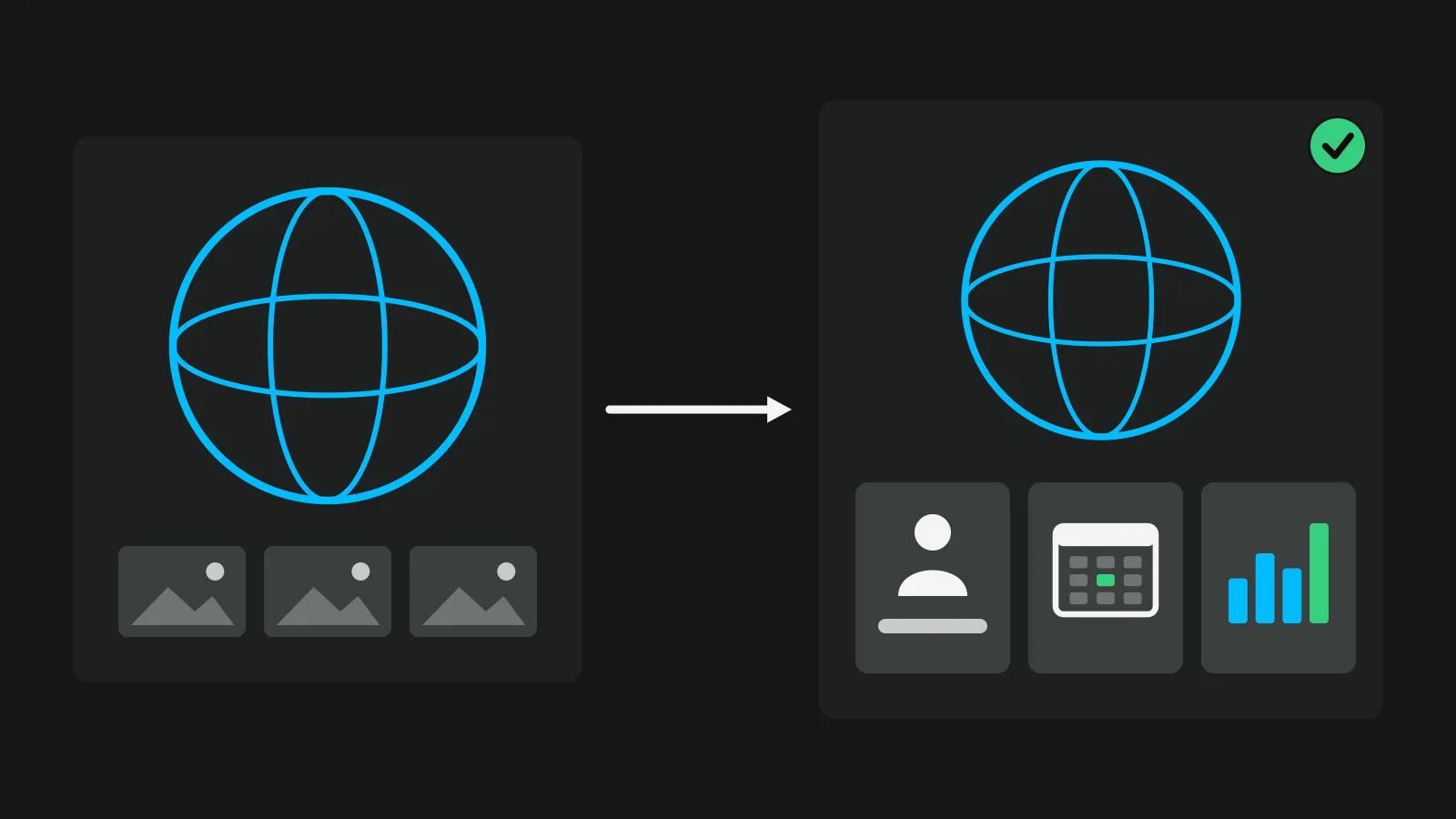
Kuula is a strong general 360 host for galleries, schools, hotels and homes. Of the Kuula alternatives for real estate agents, Vistura is the one built around the listing: it builds the tour from your 360 photos as Kuula does, then puts every enquiry in one inbox, shows the numbers for each listing and, on Pro, lets buyers book a viewing from the tour. CloudPano, Panoee and 3DVista also build tours from 360 photos, and Matterport scans the home in 3D.
We make Vistura; every other price here comes from that company's own page, linked. Prices from each company's page on 8 November 2026 (Matterport, CloudPano's phone kit and Panoee's export in late October 2026), before tax. Check the linked page before you buy.
Kuula and Vistura, plan by plan
Both tools have three plans, so the fair test is plan against plan: what a buyer sees and what you get back at each price.
| Plan | Kuula | Vistura |
|---|---|---|
| Free | Basic, $0. Visitors see the photos and move with the thumbnail bar; your hotspots stay hidden from them; Kuula logo on links and embeds | 14 days of Pro first, no card. Then $0: rooms, floors and links work for every visitor; agent card with WhatsApp and a form; every lead in full in your inbox and by email; visits and leads for each listing; 3 tours online at a time, Vistura brand |
| Pro | $24 a month or $20 billed yearly. Hotspots; a contact card built from the tour's name and description; forms as Google Forms in an interactive card; your logo | $24 a month or $19 billed yearly (founder price until 31 December). Unlimited tours online; lead stages, notes, follow-up date and alerts; "Before getting in touch"; viewing booking; where visits came from and the rooms they watched; owner access; your logo and colours |
| Business | $48 a month or $36 billed yearly. Custom domain, password tours, permissions, Google Analytics | $49 a month or $39 billed yearly (founder price until 31 December). 3 people; shared tours and leads; agency brand; your own domain; password-protected tours |
Read across the rows: Kuula's higher plans add editing power, branding and hosting options, while Vistura's add the follow-up on each buyer who writes in.
What Kuula does well
Kuula is mature software. Its help index covers time-savers such as backlinks, masters and batch editing, and it takes panoramas up to 32,768 pixels wide on Pro. The pricing is a flat fee, and if you cancel, Kuula says it "won't delete any data". Its real estate page calls it software "for real estate, architecture and many other businesses". That breadth is its strength, and it is also why agents look further.
Where agents outgrow Kuula
Each point below is in Kuula's own words, on its own pages.
- Free: buyers do not see your hotspots. On Basic, in Kuula's words, "hotspots will not be visible to anyone except yourself". Visitors see the photos and move between them with the thumbnail bar.
- Enquiries. The contact card "pulls its content directly from the Tour Name and Tour Description fields". For a form, Kuula's blog shows how to make a Google Form public and paste its embed code "into the Media box in the Interactive Card editor", and Forms is a Pro article in the help index. The answers sit in Google Forms, apart from the tour, with no stage, note or reminder attached.
- Statistics. Analytics "is available to Kuula Business subscribers", and it works by pasting your own Google Analytics tracking ID. Kuula counts the views of each post. Where visits came from and which hotspots they clicked need Business and your own Google Analytics, which Kuula says misses around 10-15% of visits because of ad blockers.
- Viewings. The help index has no article on booking or scheduling. The buyer arranges the visit outside the tour.
- Your own address and private tours. A custom domain, password-protected tours and permissions for clients and teammates are Business features.
None of this is a flaw for a museum or a hotel gallery. For a listing, it is the work that starts after the tour goes live.
Vistura: the Kuula alternative built for selling listings
Vistura builds the tour from your 360 photos, then keeps working once it is live: it collects every enquiry, books viewings on Pro and tells you and the seller what each listing is doing.
Buyers walk the home on every plan
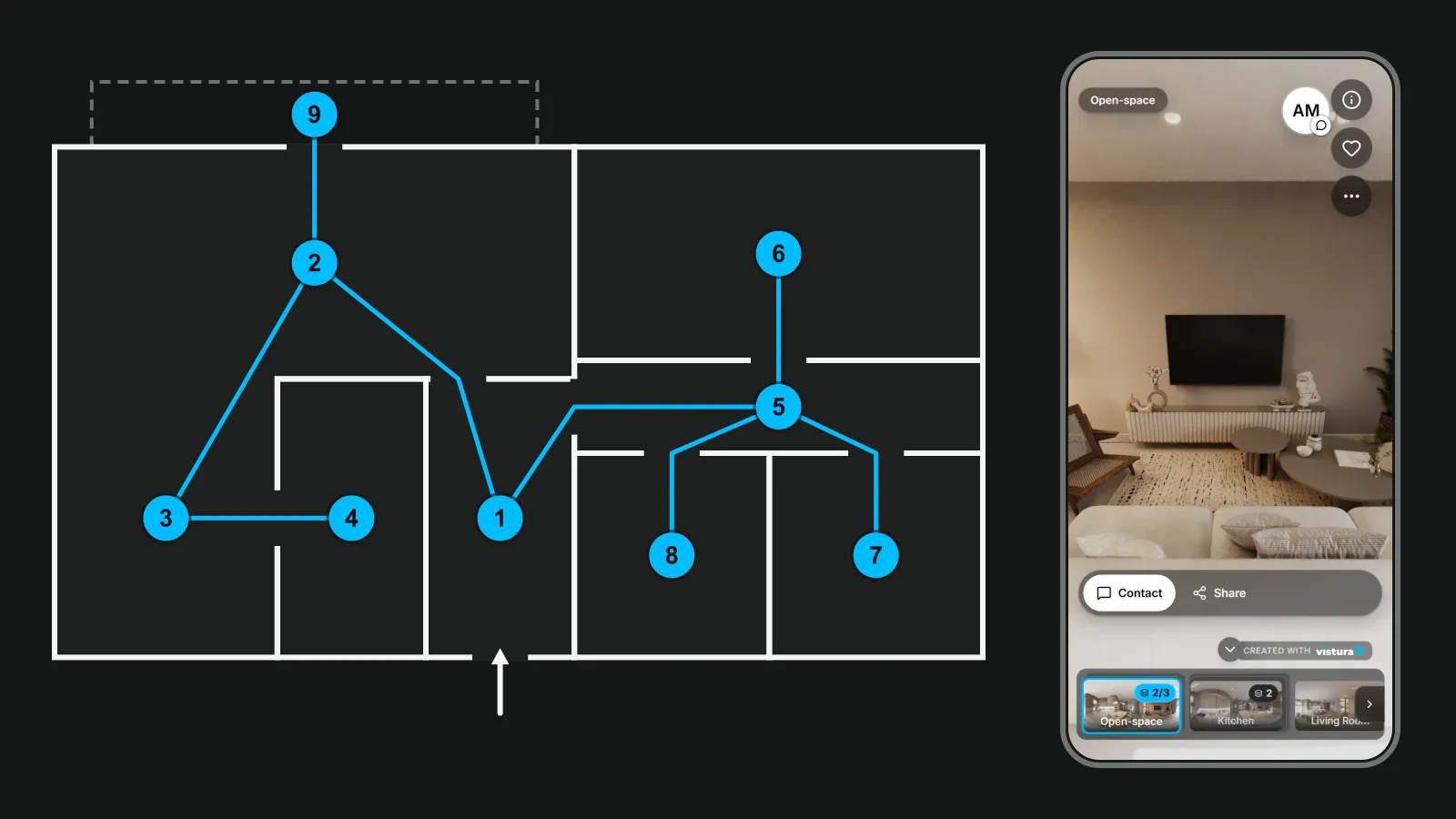
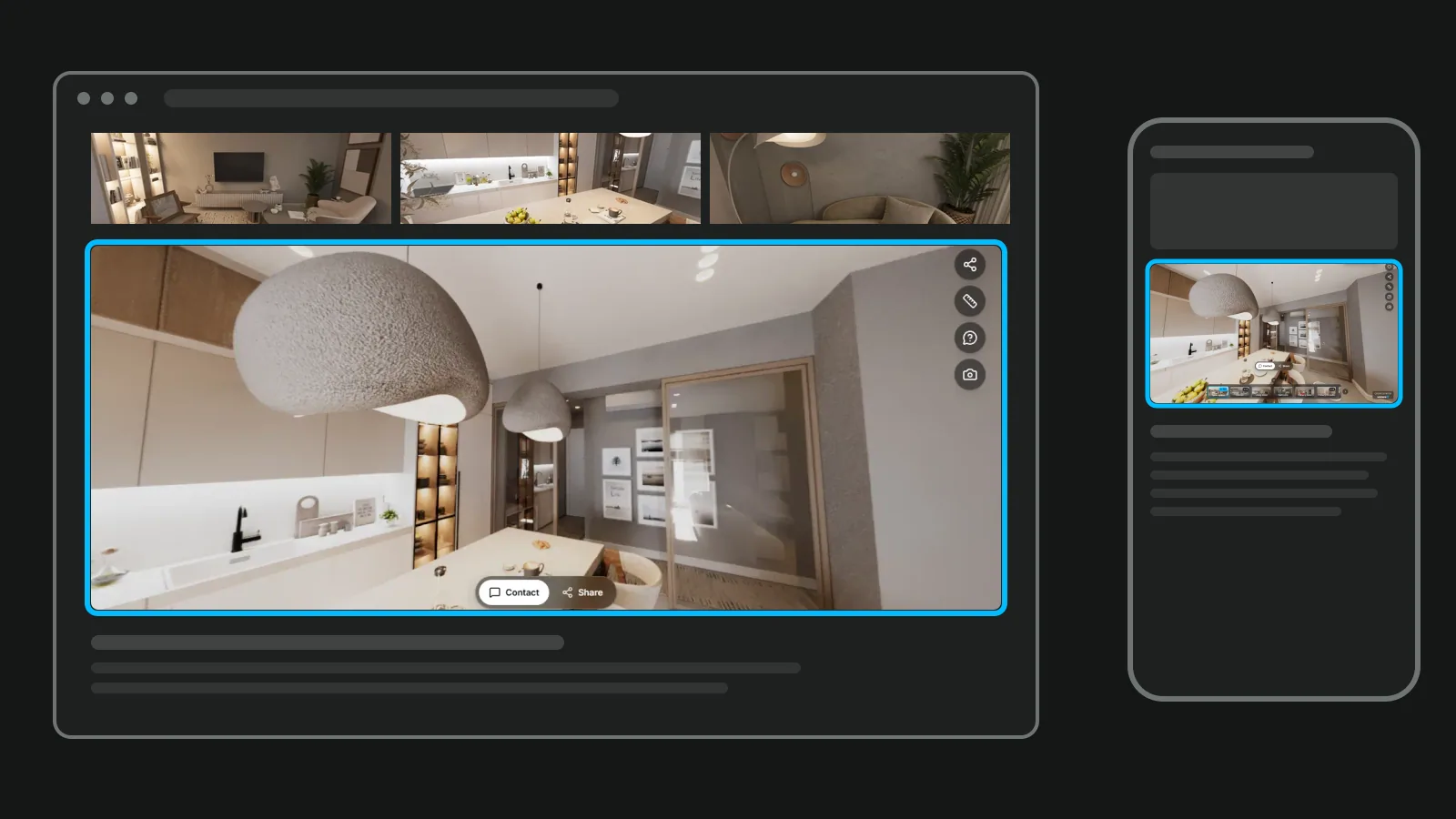
Rooms, floors and the links between them work for every visitor, Free plan included. Each tour carries your agent card, with WhatsApp and a contact form, so a buyer who likes the kitchen can ask about it from inside the tour.
No 360 camera yet?
Any 360 camera works. If you don't have one yet, start with your phone: Vistura Capture guides you through 24 to 35 shots per room and stitches them into a 360.
Every enquiry in one place
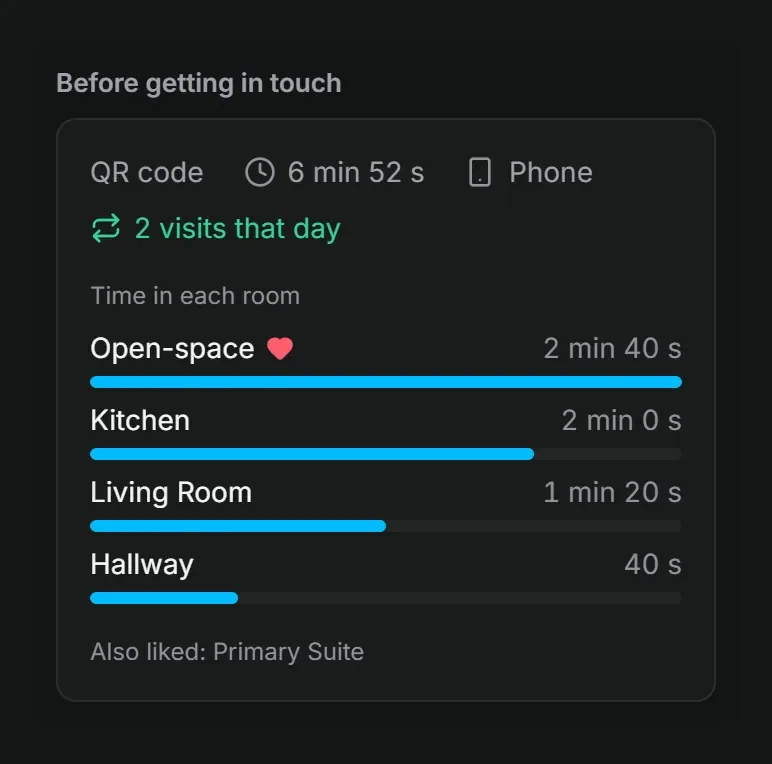
Every lead arrives in full in your Vistura inbox and by email, on every plan, and you reply by WhatsApp, phone or email. On Pro, each lead moves through stages (New, Contacted, Visit booked, Offer, Won, Lost), with notes, a follow-up date and an alert the moment it arrives. "Before getting in touch" shows the rooms each lead saw, for how long and where they came from. Our guide to real estate lead follow-up shows what to do with that.
Viewings booked from the tour (Pro)
You set your weekly schedule once: the length of a viewing, the gaps between them, the notice you need and any days off. Buyers pick only the free times, from inside the tour. The viewing arrives as a lead at the Visit booked stage, with an email and a calendar file.
Numbers for each listing, and for the seller
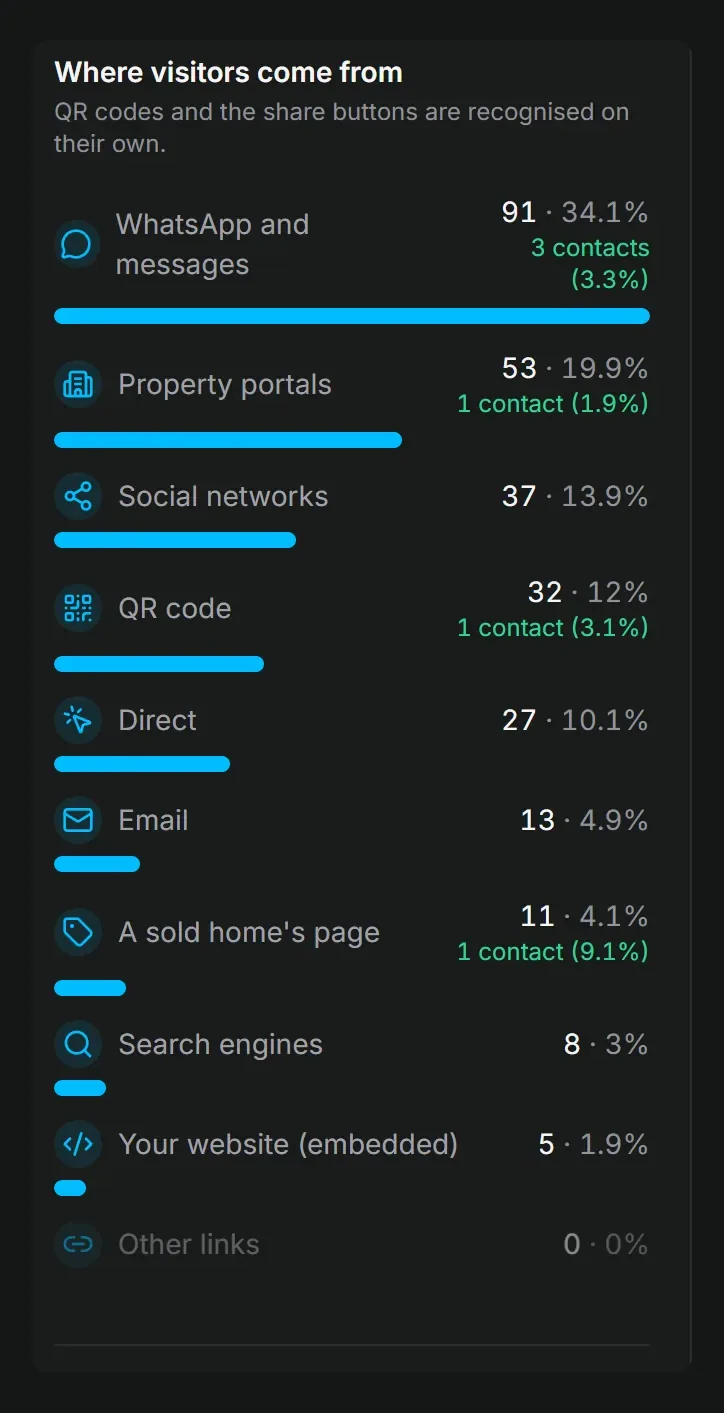
Visits and leads for each listing show on every plan. On Pro you also see where each visit came from (property portals, WhatsApp and messages, QR code, social networks or your website), the rooms that hold attention and the devices, kept from day one.
On Pro, owner access lets the seller follow the tour and its numbers, read only and with no buyer data. On every plan you can send the owner report by email or as a PDF, with your note: the tour's visits and contact requests. On Pro it adds where the visits came from, the rooms people looked at most, the time in the tour and your logo.
A tour that speaks the buyer's language
The tour's buttons and messages follow each buyer's phone or browser language: English, Portuguese, Spanish, French, German, Italian or Dutch. One tour serves them all, with no copies to keep in step.
Share it everywhere
Every plan shares by link, QR code, WhatsApp, embed code and your public profile. Social images and a vertical reel are made from the tour's own rooms; on Pro they carry your logo and colours, and you choose the rooms and their order in the reel.
For agencies and 360 photographers
On Pro you invite editors, such as a photographer or a colleague. On every plan you can hand a finished tour to the agent's account, with its link, leads and statistics. Business includes 3 people, shared tours, leads and agency brand, password-protected tours and your own domain, such as tours.youragency.com.
What it costs
Every new account starts with 14 days of Pro, with no card, and nothing is charged when they end. Then the account is on Free: 3 tours online at a time (sold, offline and private tours do not count), with no time limit, under the Vistura brand.
When the listing must bring enquiries and viewings, Pro is the plan: $29 a month, or $24 billed yearly. Business is $59 a month, or $49 billed yearly, for 3 people; each extra person costs $15 a month, or $12 billed yearly. Subscriptions started by 31 December 2026 get the founder price, kept while the subscription stays active: Pro at $24 a month or $19 billed yearly, Business at $49 or $39. The details are on Vistura's plans.
CloudPano, Panoee and 3DVista next to Kuula
Each of the three changes one thing about the Kuula model. CloudPano's Pro Plus costs $49 a month or $33 billed yearly and adds a 360 video call inside the tour. Panoee has a free plan with 3 GB of storage and Pro at $22 a month, and sells a $19 export per project. 3DVista moves the work to your computer: desktop software at $499 once, with hosting from 99 € a year. Our Matterport alternatives guide compares CloudPano and Panoee in full.
Matterport, a different kind of tour
Matterport makes a 3D scan of the home rather than linking 360 photos. Its Free plan has 1 active space, and Professional 10 costs $108 a month for 10 active spaces. The same guide covers it in depth.
All the alternatives side by side
Move your tours from Kuula
Your tour lives on Kuula's servers, so you move the photos, not the tour.
- Gather your original 360 photos from your camera app or stitching software. Kuula says it "encodes all uploaded images as JPGs regardless of the original format", so your originals are the best copy.
- Name the files in walking order, such as "01 hallway" and "02 kitchen", and put them in a .zip.
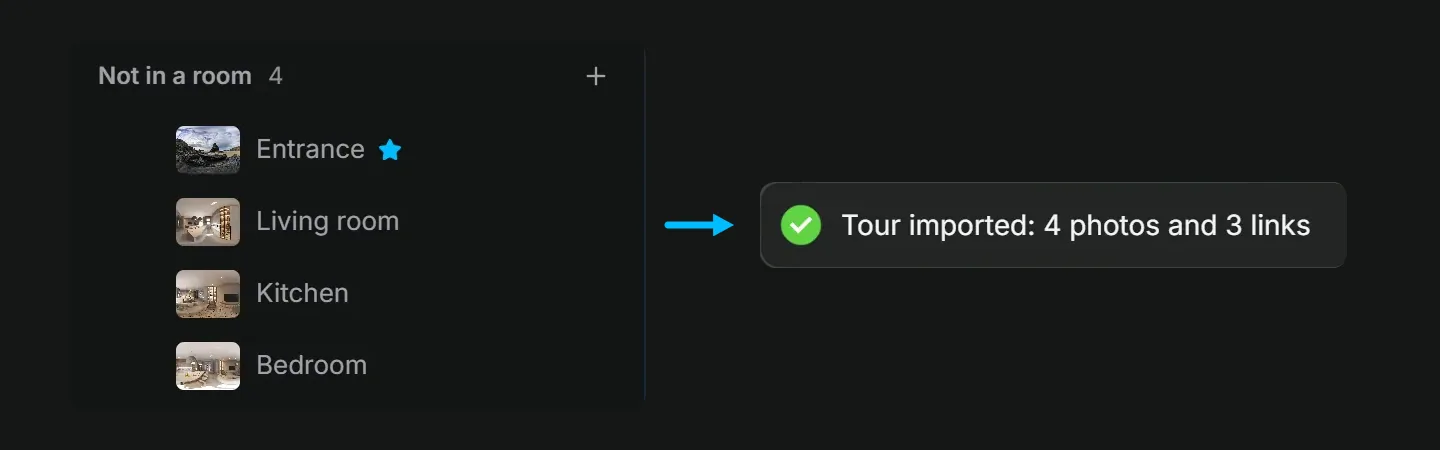
- In Vistura, create a tour and drop the .zip on the photo list. Vistura keeps the order and drops the numbers from the names. Each photo can be JPEG, PNG or WebP, up to 25 MB.
- Select Add > Link photos automatically. Vistura compares the photos and proposes the links between the rooms; nothing changes until you confirm. If a room is left apart, open a photo by its door and drag the next photo from the list onto the view.
- Add the finishing parts: your agent card, and on Pro the floor plan and the Book a visit button. Then share the new tour by link, QR code, WhatsApp, embed on your website and your public profile. Swap the old links once the new tour is live and checked.
If a tour was made with krpano or Panotour, or exported from Panoee, it comes over with its links: see krpano alternatives.
Which Kuula plan are you on?
Start from what you pay Kuula today.
- Basic. Visitors do not see your hotspots. On Vistura Free they walk from room to room, and every lead reaches your inbox in full.
- Pro. Answers sit in Google Forms, and Kuula's help has no booking article. On Vistura Pro the lead lands with its stage, notes, follow-up date and the rooms the buyer saw, and the buyer books a viewing from the tour.
- Business. You pay for a custom domain and connect your own Google Analytics. Vistura Business has the domain, the visit sources and the rooms built in, for 3 people.
To weigh the cost of the shoot itself, see how much a virtual tour costs. For the basics of tours for listings, start with our real estate virtual tour guide.
Before your Kuula plan renews, rebuild one live listing in Vistura with the steps above and compare the two links side by side. Every new account starts with 14 days of Pro, no card, so you can test leads, viewing booking and the statistics on that listing: see Vistura's plans.
Frequently asked questions
Is Kuula free?
Kuula's Basic plan costs nothing. It holds up to 300 posts across all your tours, with at most 100 uploads a month and 25 at a time. Links and embeds carry the Kuula logo, there is no audio, and the hotspots you add are visible only to you, so visitors move between photos with the thumbnail bar.
What happens to my Kuula tours if I cancel?
Kuula says on its pricing page that you can cancel at any time and it won't delete any data, so you can renew later. Paid plans renew automatically at the end of each month or year unless you cancel first.
Can I download my photos from Kuula?
Check in your Kuula account what you can download before you cancel. Either way, the best copy of each photo is the original from your camera app or stitching software, because Kuula encodes every upload as a JPG. Keep those originals in one folder per listing.
Do I need a 360 camera for Kuula?
Kuula takes 360 panoramas made elsewhere: from a 360 camera, a DSLR with stitching software or a drone. Its pages do not describe a capture app of its own. If you have no 360 camera yet, Vistura Capture guides your phone through 24 to 35 shots per room and stitches them into a 360.