Change plan, pay and get your invoices
- All plans
- Computer or phone
- Updated
In Vistura, your plan lives in Settings > Plan & billing, in your personal space. You choose Pro there, monthly or yearly, and pay with Stripe. Invoices, your card and cancelling are under Manage billing. For prices, see the plans.
Steps
Move to Pro
- On your dashboard, in your personal space, select Settings, then Plan & billing.
- Under Choose your plan, choose Yearly or Monthly.
- Select the button at the bottom of the Pro card. Stripe's secure payment page opens.
- Enter your card and billing address. For an agency invoice, add the company's VAT number there too.
- Check the total and pay.
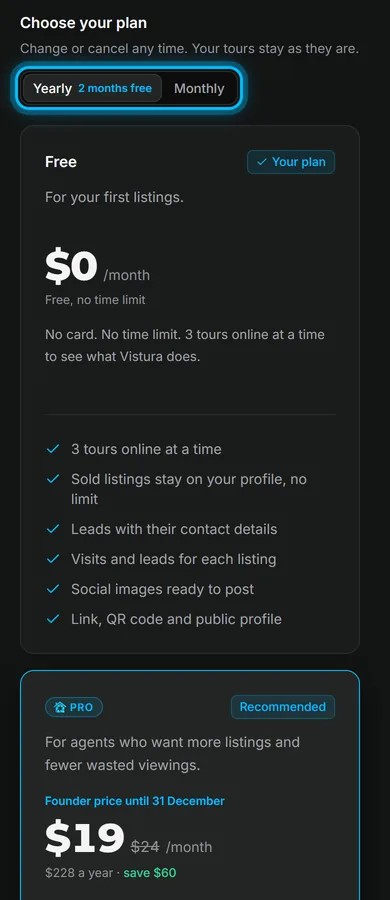
Result back in Vistura, a message says Pro is on. Thank you! Every Pro feature is on at once.
Get invoices, change the card or cancel
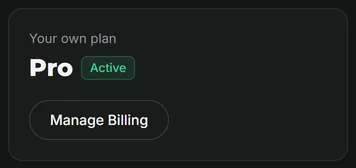
- In Plan & billing, select Manage billing. Your Stripe billing page opens.
- Download any invoice, change the card or the billing address, or cancel the plan.
- To come back, use the link back to Vistura on that page.
Run an agency
Business belongs to an agency team, with its own plan and its own invoice. Start it from Create your agency’s team under Your agencies in the same screen: see Set up an agency team.
Storage on each plan
Storage counts the photos, video and audio you upload. Tours themselves are not counted.
| Plan | Storage |
|---|---|
| Free | 2 GB |
| Pro | 50 GB |
| Business | 100 GB per person |
When a plan ends
If you cancel, your plan keeps working until the end of the period you paid for. Plan & billing shows the date, with a button to keep the plan.
In the last 7 days, your dashboard and an email show what will change. To carry on, select the button to keep the plan: nothing is charged before that date.
If your Pro plan ends, the account moves to Free on that date. Nothing is deleted:
- Free keeps 3 tours online at a time, private ones included. To free a place, mark a tour as sold or take it offline, or move to Pro for unlimited tours. Select Choose the 3 online to pick the tours that stay; otherwise the ones with the most visits stay. People who open the others see your contact and can leave an enquiry. See Take a tour offline, or choose which tours stay online.
- Your tours, photos and leads stay. Tours show the Vistura brand, and buyers no longer see floor plans, video, narration, the guided tour or booking.
- Statistics show totals, and Vistura keeps recording the details.
- Move back to Pro at any time, and every tour comes back online at once.
Was this helpful?
Thanks for telling us.
Sorry it did not help. Write to us and we will answer: support@vistura.app