Which plan do I need?
- All plans
- Computer or phone
- Updated
Vistura has three plans. Free makes complete tours, with 3 tours online at a time and the Vistura brand. Pro adds unlimited tours, your own brand, floor plans, video, and stages, reminders and booking for your leads. Business is for agencies: everything in Pro for every agent, in one team.
Prices and the yearly option are on the plans page.
Which one fits you
- You are trying Vistura, or list a few homes at a time: Free. Every lead reaches you with their contact details; Pro adds what each buyer looked at.
- You want all your listings online, under your own name: Pro. It is for one person.
- You run an agency and want one brand, shared tours and leads: Business. It is for the team, with 3 people included.
Every feature by plan
Every Pro feature is also in Business.
Make the tour
| What you get | Plan |
|---|---|
| 3 tours online at a time | Free |
| Unlimited tours online | Pro |
| 360 photos from your phone (Vistura Capture) or a 360 camera, rooms, floors and links | Free |
| Bring a tour from another app, straighten a photo | Free |
| Notes, pictures, buttons and forms inside the rooms | Free |
| Tripod covered with the Vistura disc | Free |
| Tripod filled in from the floor, or covered with a colour or your logo | Pro |
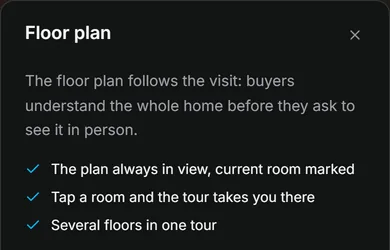
| Floor plan | Pro |
| Video in the tour | Pro |
| Narration in each room | Pro |
| Guided tour and presentation mode (TV) | Pro |
Leads and viewings
| What you get | Plan |
|---|---|
| Every lead with their contact details, with an export to a spreadsheet | Free |
| Visits and leads for each tour | Free |
| Full statistics: where visits come from, rooms, time and devices | Pro |
| "Before you call", stages, notes, reminders and lead alerts | Pro |
| Buyers book a viewing in your calendar | Pro |
| The owner follows the tour and its numbers | Pro |
Brand and sharing
| What you get | Plan |
|---|---|
| Link, QR code, WhatsApp, your website and your public profile | Free |
| Public or private tours | Free |
| Images for social media and stamped photos, with the Vistura mark | Free |
| The same images with your brand, in the design you choose | Pro |
| Your logo and colours on your tours, with no Vistura badge | Pro |
| Public tours kept for Only people with the link | Pro |
| Your own tour address | Pro |
| Password-protected tours | Business |
| Tours on your own domain | Business |
Work with others
| What you get | Plan |
|---|---|
| Invite a photographer or a colleague to edit a tour | Pro |
| An agency team with roles, shared tours, shared leads and the agency brand | Business |
Storage for photos, video and audio is per person: 2 GB on Free, 50 GB on Pro and 100 GB on Business.
What happens when you reach a paid feature
On Free, a paid feature still shows in the editor, marked with a lock or a plan badge. Selecting it opens a short notice with what the feature does. The feature opens as soon as your account is on Pro or Business, and buyers see it from then on.
Was this helpful?
Thanks for telling us.
Sorry it did not help. Write to us and we will answer: support@vistura.app