Single property website: what it needs and how to build one
What a single property website needs, your domain options, how to promote it and what to do when the home sells, with a checklist to use today.
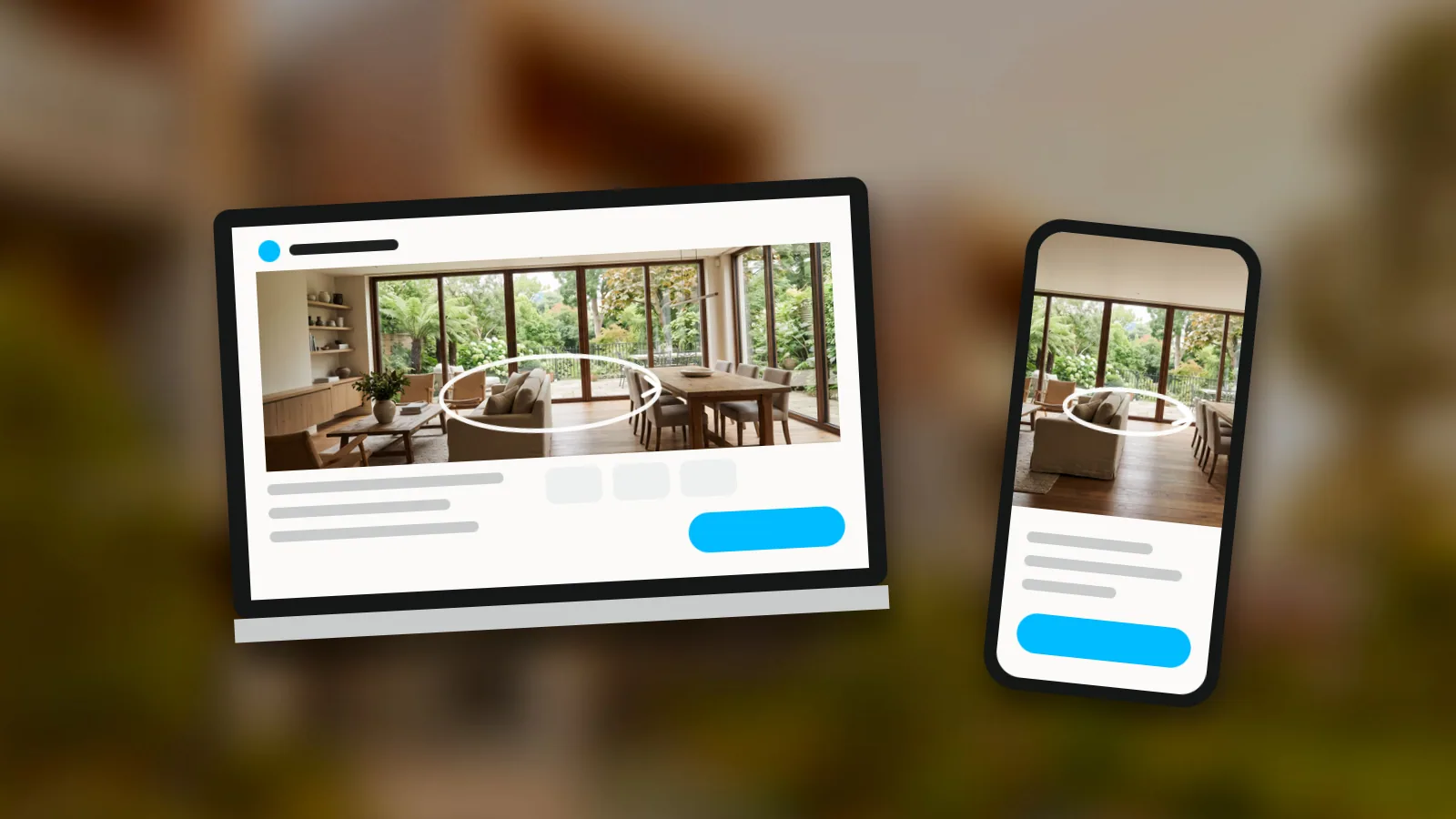
A single property website is a page with its own link that shows one home and nothing else: the photos and a tour, the price, the key facts and a way to reach the listing agent. It works best as the one link you put on every channel, from the for-sale board to WhatsApp, so every buyer lands in the same place and every enquiry comes to you.
What a single property website is, and when it beats a portal listing alone
A portal listing sits in a list of other homes, under the portal's brand, with the portal's contact form. A single property website is yours. It gives you four things a portal listing alone does not:
- One link for every channel. The same address goes on the board, the flyer, the email, the post and the message.
- Your brand. Your name, your photo and your colours, not the portal's.
- No other homes beside it. Nothing invites the buyer to click away to a similar listing.
- Enquiries that come to you. The call, the WhatsApp message and the form reach you directly.
It does not replace the portals. Portals bring buyers who are searching; your single property website is where your own channels send people. Decide by the effort: if each site means a new build and one more monthly fee, it soon stops being worth it on an ordinary listing. If the page already exists when the listing goes live, it is worth it on every one.
A single property website is also not your agent website. Your own site shows who you are and all your homes; our guide to the real estate agent website covers that.
What the page must have
Most buyers will open your link on a phone, from a message or a QR code. Build the page in the order they read it.
| Part | What to put there | Why |
|---|---|---|
| Photos and the tour | At the top, before any text | Buyers decide in the first screen whether to stay |
| Price | Next to the title | A page without a price sends buyers back to the portal to find it |
| Key facts | Type, bedrooms, bathrooms, area | The details buyers filter by |
| Location | The area, or the street only if the seller agrees | Protects the owner until a viewing is booked |
| Floor plan | Under the photos | Answers "where is what" faster than text |
| Description | A short text that adds what the photos cannot show | Our guide to the real estate listing description has the structure |
| Contact | Call, WhatsApp and a short form | One tap from a phone |
| Viewing | A way to book a time | Turns interest into an appointment |
| Speed | Light pages that open fast on mobile data | Buyers on a phone do not wait |
| Link and QR code | A short address that reads well on print | The QR code on the board opens the same page |
| Statistics | Visits per source and per day | Tells you which channel works, and gives you numbers for the seller |
Next to the form, say who receives the details and why. Our agent website guide covers the privacy line and the rules behind it.
Rules for what the page says
The page is an advertisement, so advertising rules apply to it. This is not legal advice.
- United States. Under 24 CFR 100.75, it is unlawful to publish an advertisement for the sale or rental of a home that "indicates any preference, limitation or discrimination" based on a protected characteristic. That covers "words, phrases, photographs, illustrations, symbols or forms". Describe the home, never the buyer you imagine for it.
- United Kingdom. The Digital Markets, Competition and Consumers Act 2024, section 227 treats leaving out material information as a misleading omission, and defines it as "information that the average consumer needs to take an informed transactional decision". Propertymark reported on 9 May 2025 that the older Trading Standards guidance on material information was withdrawn and that the Act applies from 6 April 2025. Ask your compliance adviser or Propertymark what your listings must show.
- Elsewhere. Check your regulator's advertising rules. Whatever a portal listing must show, show it on your own page too.
Build it as a site, or let the tour be the page
There are three ways to get a single property website.
| Route | What it takes | Watch for |
|---|---|---|
| A single property website builder | A template per listing, usually a monthly fee | One more login and one more page to update when the price changes |
| A page on your own website | Your web editor, plus the tour embedded | Our guide shows how to embed a virtual tour on your website |
| The tour as the property's page | The tour you already make for the listing | It needs the facts, the contact and the booking inside it |
The third route saves the most work, because the page is ready the day the tour is. A Vistura tour already works as a page for one home. Buyers open the property details, with the price, the type, the rooms, the area and the description. You add pages between the photos, "About this home", "Book a viewing", "Neighbourhood", "Floor plan" and "Contact the agent", and they fill themselves in from the property details and your contact (how to add pages). Free includes one page per tour; Pro gives you up to 12, with the floor plan and the viewing calendar. Buyers see the area only, unless you switch on "Show the exact address". No 360 camera? Normal photos make a tour too, or take 360 photos with your phone, with nothing to install.
The address: domain options for a property website
The address is what buyers type from a sign and what your QR code opens. Choose it by what happens after the sale, not only by how it looks on the board.
| Option | Example | Good for | Watch for |
|---|---|---|---|
| Its own domain | 12oakroad.com | Easy to read on a sign | A yearly renewal, and a page to take down or redirect after the sale |
| A page on your site | youragency.com/12-oak-road | Builds your own site's visits | Needs whoever runs your website, for every listing |
| A subdomain | homes.youragency.com/12-oak-road | Your agency's name in every link | Set up once in your domain's settings |
| Your provider's address | provider.com/12-oak-road | Nothing to set up | The provider's name in the link |
Whatever you choose, register any domain in your agency's name, not the provider's, and make sure printed QR codes keep working when the address changes or the home sells.
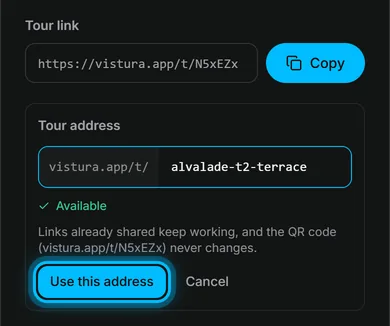
In Vistura, every tour has a short link, vistura.app/t/ followed by a code, on every plan. On Pro, you choose the words after vistura.app/t/ under "Tour address", such as riverside-2-bed-terrace, and links you already sent and the QR code keep working. On Business, your tours open on your agency's own subdomain, such as tours.youragency.com, with nothing of Vistura on it (set up your address). A "Public" tour can appear on Google once it has a description or the property details, because "search engines skip tours with only a title". On Pro, "Only people with the link" keeps it off Google and your profile when the seller wants a quiet sale, and "Where visitors come from" shows visits and enquiries by source, such as QR code, WhatsApp and messages, social networks, property portals, email or your website.
How to promote a single property website
Use one link per channel, tagged with where it was posted, so you know which channel brought the visits and the enquiries. Then spend your time on the ones that work.
- Portals. Before you paste the link into a portal's description, read that portal's own help on where a tour or a link goes, and follow it. Tag the link with the portal's name.
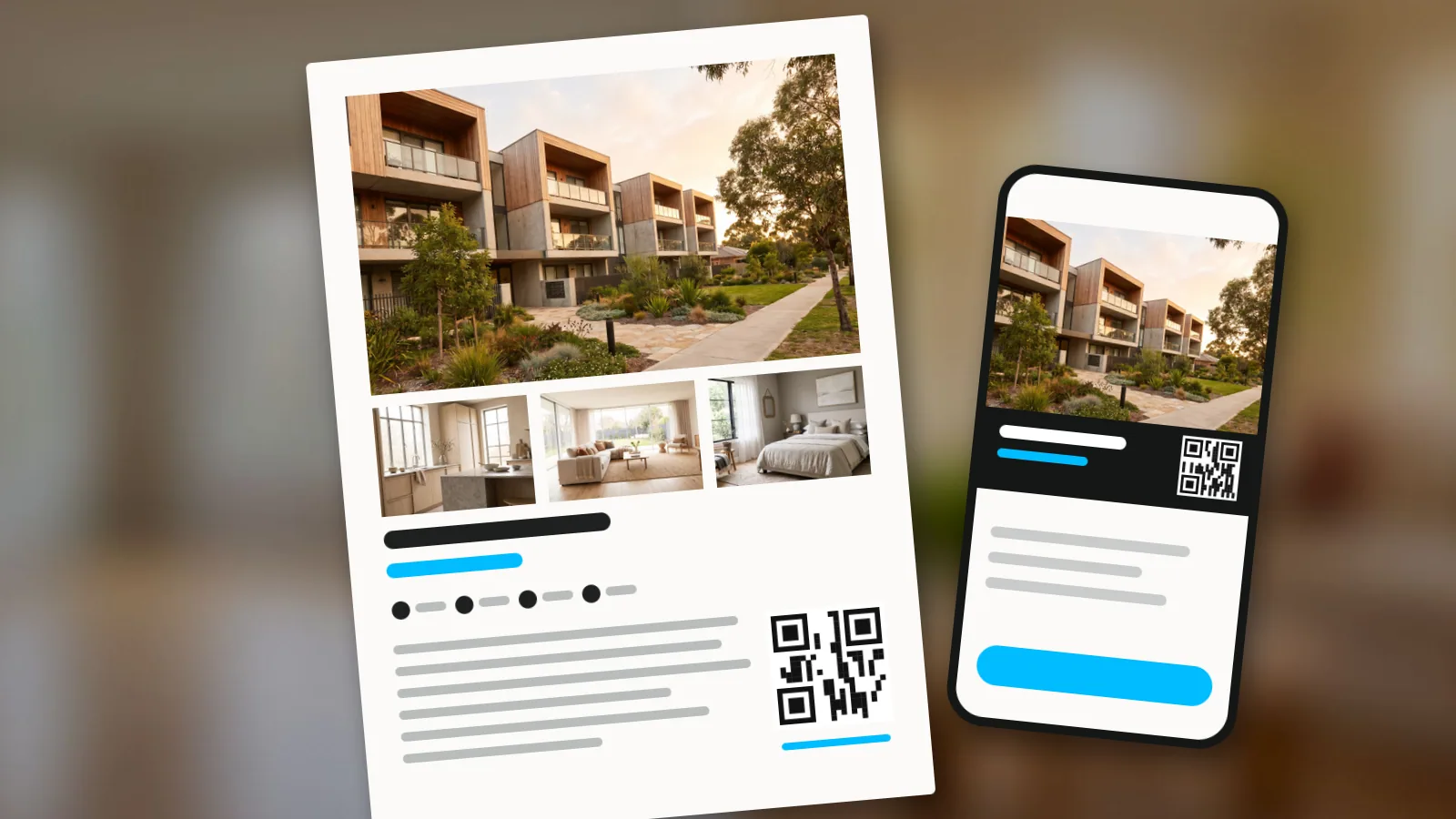
- The board and print. Put the QR code on the for-sale board, the window card and the real estate feature sheet. Our guide to the QR code for real estate signs covers the size and where to place it.
- WhatsApp and text. Send the link to every buyer who asks about the home, with one line on why it may suit them.
- Email. One home per email, with the main photo linking to the page.
- Social media. A post or a story that links to the page; for paid reach, see Facebook ads for real estate.
- Your own website. Embed the tour on the listing page, so the same page works there too.
- Before the viewing. Send the link before a real estate showing, so buyers arrive knowing the home.
Check the numbers each week. A channel that brings visits but no enquiries needs a better first photo or a clearer contact button, not more posts.
Privacy and the seller's consent
The page shows someone's home to anyone with the link. Agree with the seller, in writing, before it goes live:
- What it shows: the area or the exact address, which rooms, the price.
- Who can see it: anyone, or only the people you send the link to.
- How long it stays up, and what happens to it after the sale.
- Who approves the photos before they are published.
Prepare the home before the shoot. The NAR consumer guide on privacy and safety tells sellers to "put away anything that reveals personal details, including family photos, visible calendars, mail", and to lock up documents and valuables. Before you publish, check every photo for faces, letters, screens and number plates, and blur what is left.
What to do when the home sells
Act the day it sells. A sold home still marked for sale wastes buyers' time and your own, and listing photos can stay accessible online after a sale, as NAR's magazine noted.
- Mark it sold on the page and wherever you posted the link.
- Keep the link alive. Send visitors to your other homes for sale, so a QR code on an old flyer still brings you a buyer.
- Check consent before you advertise the sale. Some regulators require it in writing. In Ontario, the RECO bulletin on advertising sold property says that before completion "the seller's consent is required", after completion "the buyer's consent is required", and that price or terms need both. Check your own regulator.
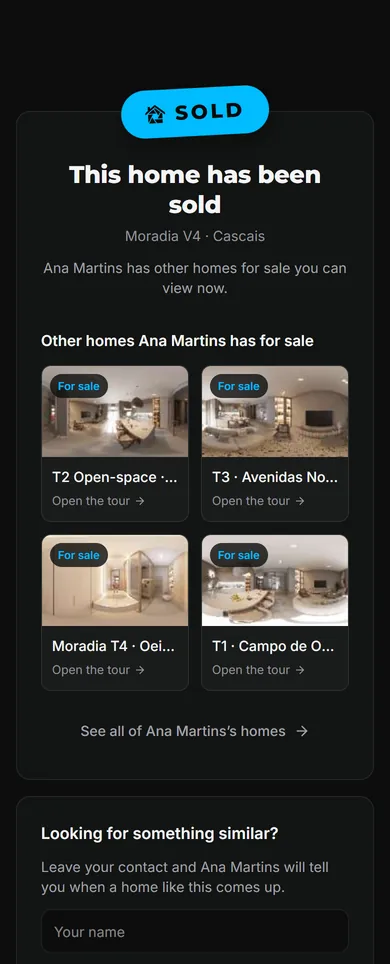
In Vistura, "Mark as sold" marks the tour sold and keeps its link alive in one step, on every plan. Old links, from a portal, a flyer or the QR code in the window, open "This home has been sold". When your profile is public, the page shows your other homes for sale, and "Looking for something similar?" asks for the buyer's contact, which lands in your Leads. A sold tour no longer counts toward the 3 tours online on Free.
Checklist before it goes live
- Photos and the tour at the top, opened on a phone
- Price, key facts and a floor plan
- The area shown, or the exact address with the seller's written OK
- Call, WhatsApp and a short form with its privacy line
- A way to book a viewing
- A short address, and a QR code that opens it
- One tagged link per channel
- The words checked against your advertising rules
- The seller's sign-off on what is shown and for how long
- A plan for the day it sells
For where this page fits in the rest of your marketing, see our real estate marketing plan.
One link per listing, with every enquiry in one place
Picture every listing with one link that you put on the board, in WhatsApp and on social media, and every buyer who opens it able to reach you or book a viewing on the spot.
You can check each piece in the product. Buyers open the property details and the pages "About this home" and "Contact the agent" inside the tour. "Share" gives the link, a WhatsApp message and the QR code. Every enquiry lands in Leads. On Pro, buyers pick a time under "Book a viewing", and "Where visitors come from" shows which channel brought them. "Mark as sold" keeps old links working.
It takes little: a tour from your phone with Vistura Capture, nothing to install, and pages that fill in from the property details.
Compare the plans. Every new account gets 14 days of Pro with no card. Start free now.
Frequently asked questions
Is a single property website worth it?
It is worth it when it costs you little per listing. The page earns its keep as the one link you put on the sign, in WhatsApp, in emails and on social media, so every buyer lands in the same place and every enquiry reaches you. If each site means a new build and another monthly fee, keep it for the listings that need it most.
Does each listing need its own domain?
No. A domain per home, such as 12oakroad.com, is easy to read on a sign, but it has to be renewed and dealt with after the sale. A page on your own site, a subdomain of your agency or the address your provider gives works just as well, as long as the link and the QR code keep working after the home sells.
Can I put the website link in my portal listing?
Check the portal's own help first: it says where a virtual tour or a link goes on a listing, and each portal sets its own rules. Follow it, and tag the link with the portal's name so you can see the visits it brings.
What happens to the website when the home sells?
Mark it as sold the same day, and send old links to your other homes for sale. If you want to keep it as proof of a sale, check your regulator's rules first: some ask for written consent from the seller, or from the buyer after completion, before you advertise a sale.