Real Estate Feature Sheet: Template With a Tour QR Code
A real estate feature sheet template: the facts, photos, floor plan and costs buyers need, plus the QR code and link that take them back into the home.
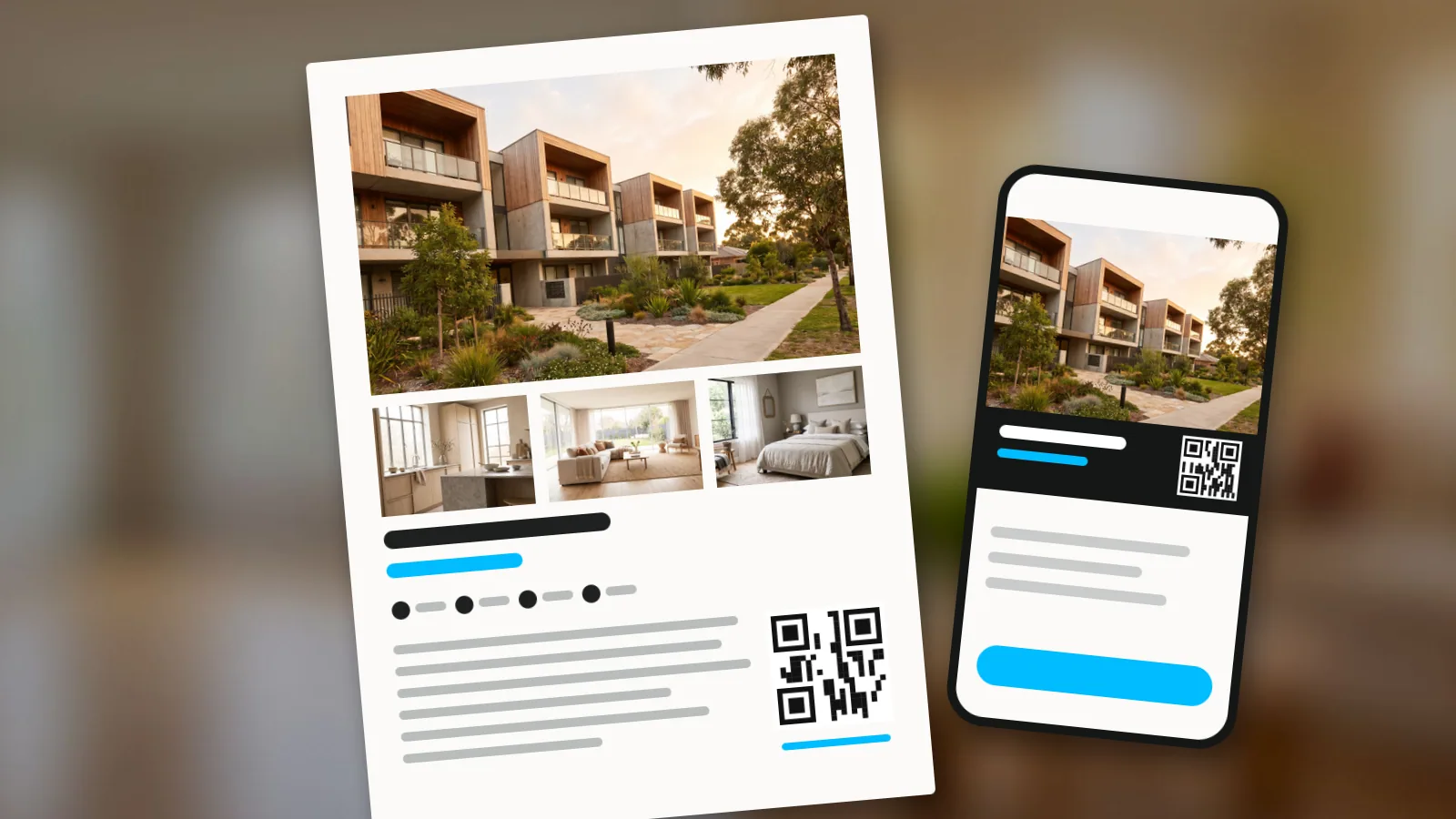
A real estate feature sheet is a one or two page document about a single home for buyers who are already interested: the price, the best photos, the key facts, room sizes, the floor plan, running costs, the location and a QR code that opens the home's virtual tour. You hand it out at viewings and send it as a PDF after every enquiry. Its job is to make the buyer's second look happen without you: at home, on the sofa, with the people who decide with them.
This guide gives you a feature sheet template to copy, what goes in each block, and how to put the tour's QR code and link on it so the paper leads back into the home.
Feature sheet, flyer or listing: which does what
They share photos and facts, but they serve different moments.
| Flyer | Feature sheet | Online listing | |
|---|---|---|---|
| Who reads it | Neighbours, passers-by, open house visitors | A buyer who enquired or viewed | Anyone searching |
| When | Before they know the home | After the first contact | When they search |
| Length | One sheet, read in seconds | One or two pages, read at home | As long as the portal allows |
| Job | Get noticed | Answer every question and bring them back | Get the enquiry |
If you need the attention piece, see the real estate flyer guide. The feature sheet comes after: it is what the buyer takes home.
What to put on a real estate feature sheet
The headline and price
One line that says what the home is and what makes it different, then the price. "Three-bedroom house with a south-facing garden, five minutes from the station" tells a buyer more than "Stunning family home". If the home faces the sun well, say how: what south-facing means for a home.
Photos
One strong first photo, usually the outside or the main living space in daylight, and three to five room photos. Choose the rooms buyers ask about: kitchen, living room, main bedroom, outdoor space.
The key facts box
The facts buyers compare between homes, in one box they can find in two seconds:
- bedrooms and bathrooms;
- floor area, and how it was measured (see how to measure square footage);
- plot or outdoor space;
- parking and storage;
- year built or last renovated;
- energy rating, where the law asks for it in adverts;
- heating and cooling.
Room by room
Each room with its size and one useful line: "Kitchen 4.2 x 3.1 m, new in 2024, window over the garden". Put the rooms in the order a buyer walks through them.
The floor plan
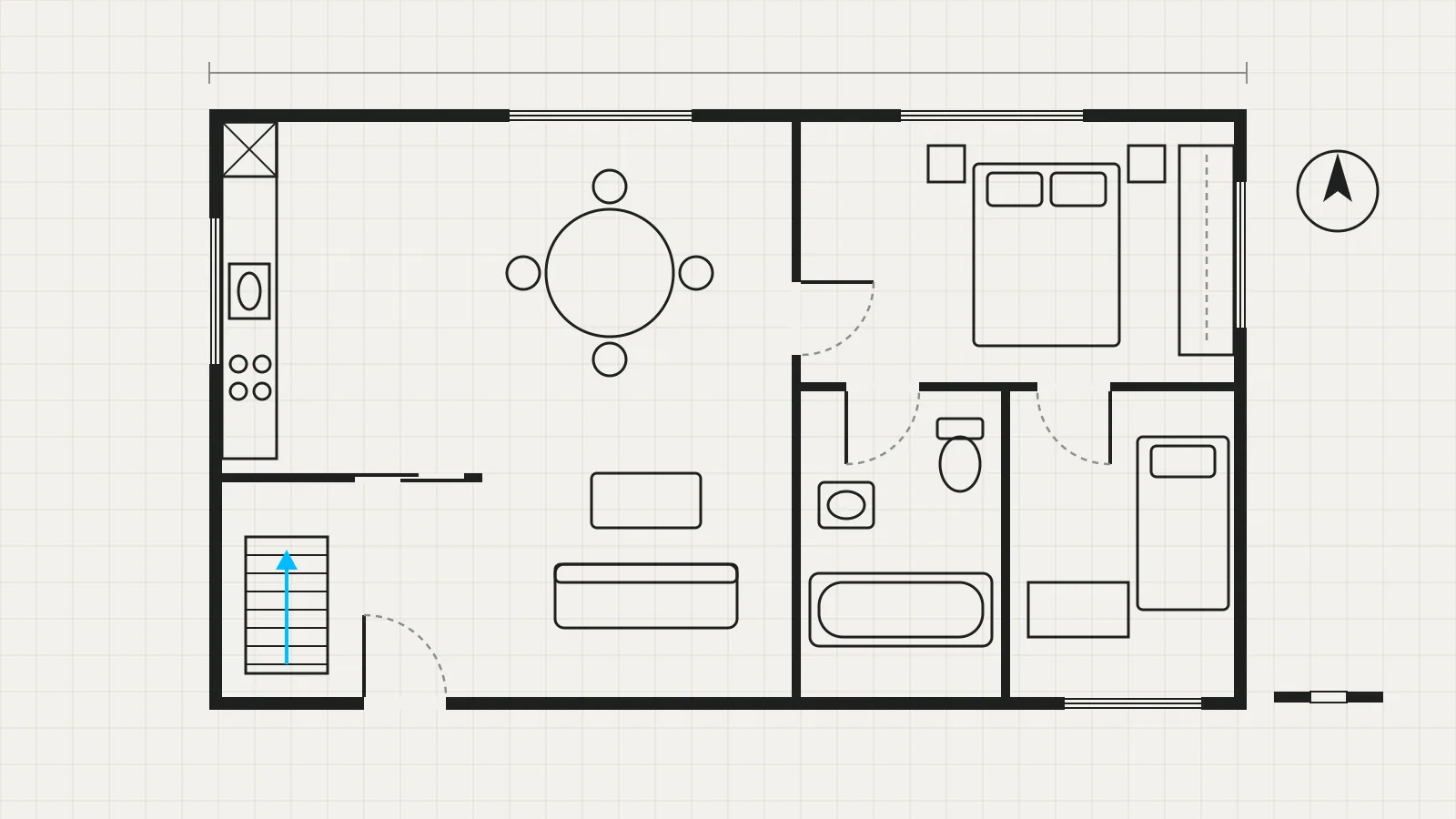
The single most useful page for a buyer who is trying to picture their furniture. If you do not have one yet, see how to make a real estate floor plan.
Running costs and what is included
Property taxes, service or community charges, and anything that stays with the home (appliances, furniture, a parking space). These are the questions that otherwise come by email the next day.
The location
The street or area, then distances in minutes to what matters: station, schools, shops, a park. Facts, not adjectives.
The way back in: tour QR code and link
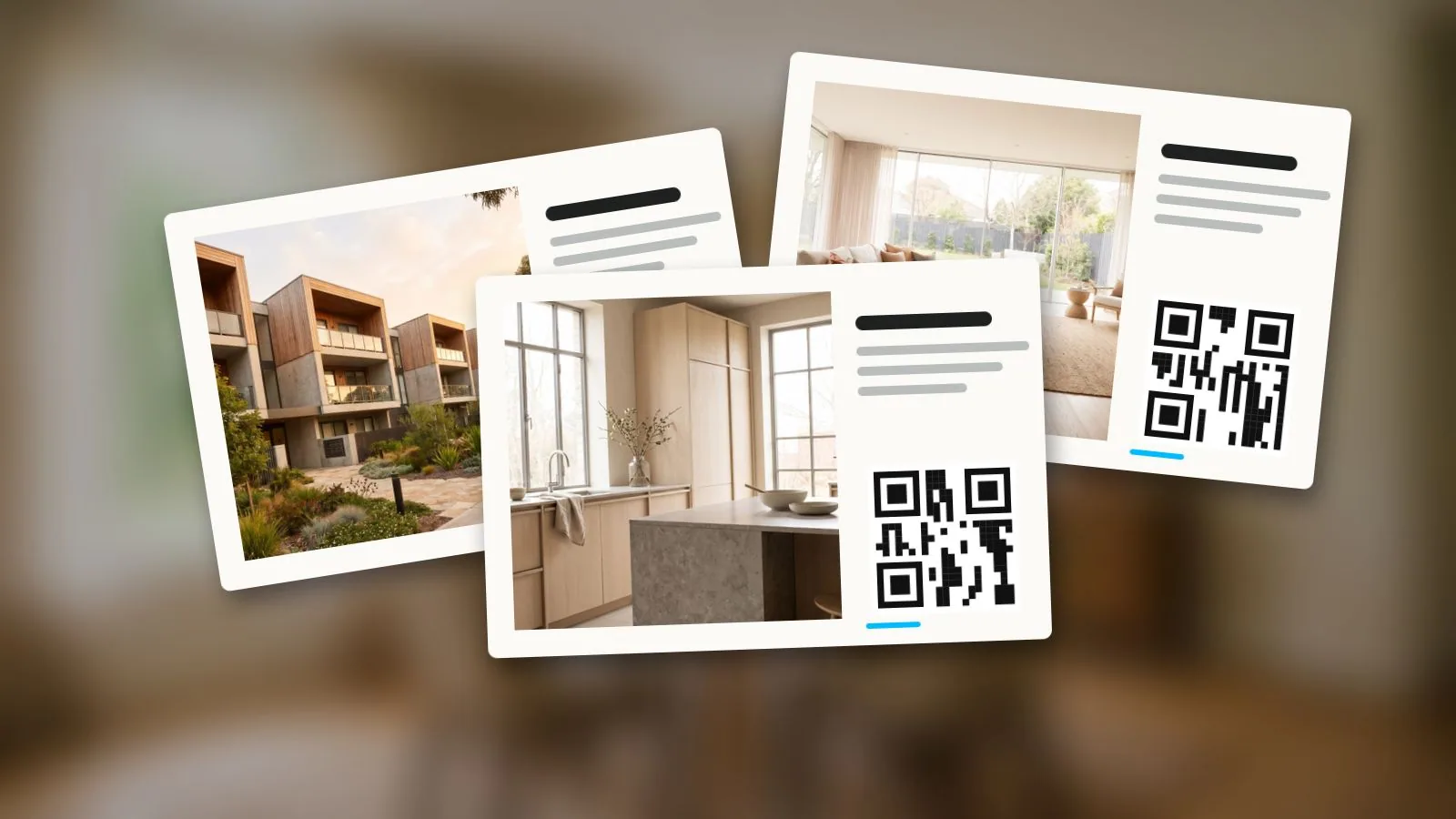
A QR code that opens the home's virtual tour, the same address as a short link written under it, and one line of call to action: "Walk through the home again". This turns the paper into a door. A buyer who scans it at home sees the rooms in the order they remember them and shows them to a partner who was not at the viewing.
Your contact and the small print
Your name, photo, phone, email and agency. Then one line saying measurements are approximate and the sheet is not part of a contract, adapted to what your local rules and your broker require.
A feature sheet template you can copy
Two pages, A4 or US Letter, portrait.
| Block | Page 1 | Page 2 |
|---|---|---|
| Top | Headline and price | Floor plan |
| Middle | First photo, large; three room photos below | Room by room with sizes |
| Lower | Key facts box | Running costs, what is included, location with distances |
| Bottom | Your name, photo and phone | Tour QR code with short link, your contact, small print |
Put the QR code on page 2, next to the floor plan: that is where buyers want to see more. If you print one page only, put it bottom right, beside your phone number.
Put the QR code where it works
- Size. Big enough to scan from a hand's length, with a white margin round it. Do not put it over a photo.
- One line of text. Say what the code opens: "360 tour of the home". People scan when they know what they get.
- A short link under it. For anyone who reads the PDF on a screen, or whose camera will not scan.
- A link that never changes. Once printed, the sheet cannot be updated, so the link must keep working after you edit the tour.
- Test before you print. Print one copy and scan it with two different phones.
More on placement and print sizes in QR codes for real estate signs, which applies to paper as well.
Send it, print it, post it
- At the viewing. One printed copy per visitor, in their hand as they leave.
- After every enquiry and viewing. The PDF by email or WhatsApp, with the tour link written in the message.
- On social media. The same first photo, three facts and the QR code make a square post or a story that sends people to the same tour.
The words for all three come from one place: write the listing description first, then cut it down for the sheet.
Put the tour on your feature sheet with Vistura
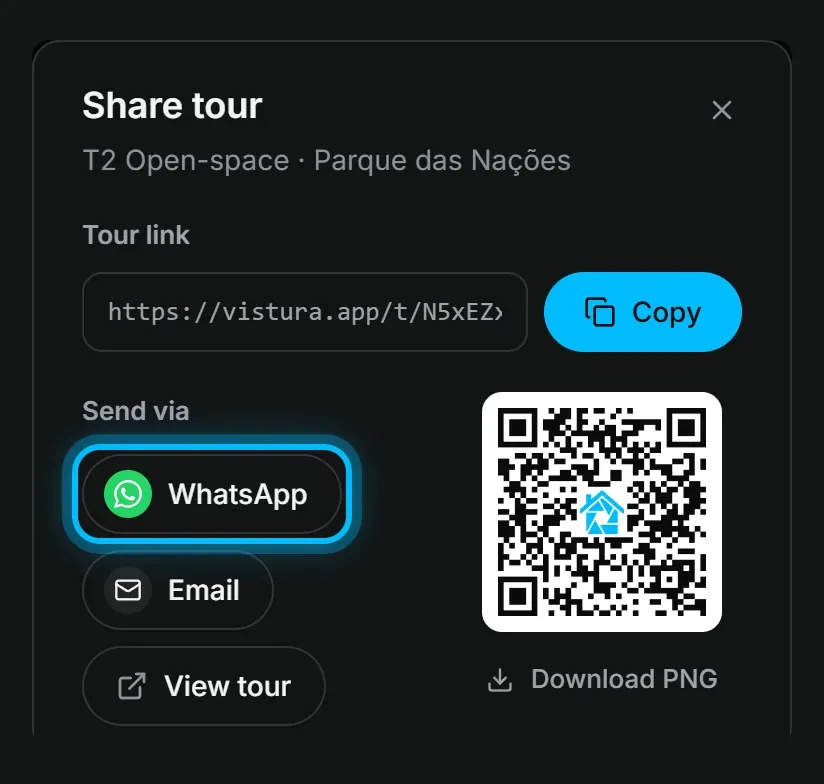
Vistura gives every tour the two things the sheet needs from it. For every tour that is online, the "Share tour" window has its QR code: "Download PNG" saves it on a white background, and "Download as" also offers "PNG, transparent background" and "SVG, vector", which stays sharp at any size for print. The code opens the tour's short link, which never changes, so a sheet printed today keeps working after you edit or reorder the rooms. Write the same short link under the code.
The code carries its own tag, so on Pro, Statistics shows the visits that came from it under "QR code", beside portals, social networks, WhatsApp and the rest: you know whether the paper brings people back.
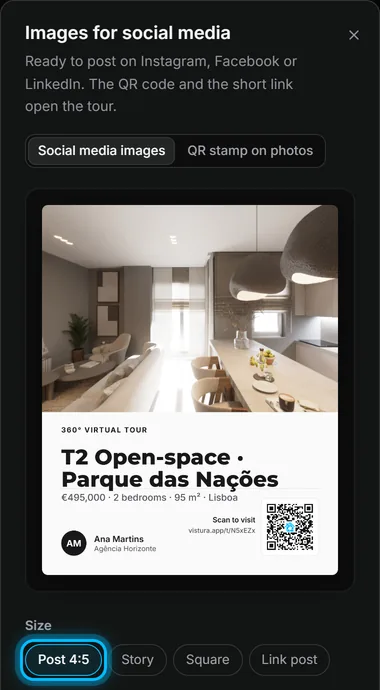
For social media, "Images for social media" makes the matching post from the same tour: the photo, a title, a details line taken from the property's facts (price, bedrooms, area, city), "Scan to visit" with the QR code and the short link. It comes in four sizes: "Post 4:5", "Story", "Square" and "Link post". Every plan makes them with the Classic design and a small Vistura mark; on Pro you choose the design and a light or dark theme, and the images carry your own colour and logo.
If you only need a code for a window card or a sign, the free real estate QR code generator makes one from any link; in the app the tour's code is already there, linked to its statistics. Try it with your next listing: every new account gets 14 days of Pro with no card, and pricing shows what each plan includes.
Checklist before you print
- The price and the facts match the listing, word for word.
- The area says how it was measured.
- Room sizes add up and match the floor plan.
- The QR code scans from two phones and opens the right tour.
- The short link is under the QR code and typed correctly.
- Your phone number is right.
- The small print is there.
Frequently asked questions
What is a real estate feature sheet?
A one or two page document about one home for buyers who are already interested: the price, photos, the key facts, room sizes, the floor plan, running costs, the location and how to see more. It is handed out at viewings and sent after an enquiry.
What is the difference between a feature sheet and a flyer?
A flyer makes strangers notice a home or an agent in a few seconds. A feature sheet answers the questions of someone who already asked about the home: every fact they need to decide whether to come back or make an offer.
What should a property information sheet include?
The headline and price, a strong first photo and a few room photos, a box of key facts (bedrooms, bathrooms, area and how it was measured, outdoor space, parking, energy rating), room sizes, the floor plan, running costs, the location with distances, a QR code and short link to the virtual tour, and your contact details.
How big should the QR code be on a feature sheet?
Big enough to scan from a hand's length, with a quiet white border round it. Print one copy and scan it with two different phones before you print the rest.
Should I send the feature sheet as a PDF?
Yes. Send the PDF after every enquiry and viewing, with the tour link in the email itself, because a link in a message is one tap while a QR code on a screen is awkward to scan.