Real estate email marketing: a simple system + 8 templates
Real estate email marketing that works: build a list with consent, split it into segments, copy 8 templates and follow Gmail, Yahoo and CAN-SPAM rules.

Real estate email marketing works when you send a few useful emails to people who asked for them: past clients, your sphere, buyers and sellers, each with what fits where they are. This guide covers how to build that list, how to split it into segments, how often to send, 8 real estate email templates to copy, the sender rules from Gmail, Yahoo and the FTC, and how to measure what works. Replying to a single new enquiry is a different job, covered in replying to a new enquiry.
Build the list from people who said yes
A good list is small and willing. Start with the people who already know you:
- Past clients, buyers and sellers.
- Your sphere: friends, family, neighbours, people you met through work or school.
- Open house visitors who ticked a box asking for news.
- Website and tour forms where people left their details.
- Owners who asked for a valuation.
For more on where new contacts come from, see the lead generation guide. Never buy or scrape a list. Strangers who never asked are the people who press "Report spam", and that number is what Gmail and Yahoo judge you on.
Keep a note of where each address came from, because that decides what you may send:
| Source | What they agreed to | What you may send |
|---|---|---|
| Asked about one home | Hearing back about that home | Replies about that home; your newsletter only if they ticked a box for it |
| Open house sign-in with a news box ticked | News about other homes | Listings, open houses, market notes |
| Past client | A working relationship | Anniversary notes, value updates, market notes (and an easy way to stop) |
| Valuation request | A valuation | The valuation; a monthly market note if they said yes to it |
In the US, the FTC's CAN-SPAM guide sets rules for commercial email but does not require consent first. Sending only to people who asked still keeps complaints low, and Google and Yahoo both want your spam rate under 0.3%.
Outside the US the bar is higher. In the EU, article 13 of the ePrivacy Directive allows marketing email "only in respect of subscribers or users who have given their prior consent", with a narrow exception for your own customers and "its own similar products or services", as long as they could object when you took their address and in every message. National rules sit on top: check your country's data protection authority.
On Vistura, every tour's contact form ends with an optional box, unticked by default: "I would like to receive news about other properties from" followed by your name. In Leads, the "Export leads (CSV)" button (it shows how many leads you are exporting) saves a file with a "Marketing consent" column marked Yes or No, so you import only the people who ticked it into your email tool. Both work on every plan.
Split it into segments
One email to everyone fits nobody. Split the list by what people told you they want:
| Segment | What they want | How often (a suggestion) |
|---|---|---|
| Past clients | Their home's value, the area, you on their mind | Monthly or every other month |
| Sphere | Local news, homes that sold, a reason to refer you | Monthly |
| Active buyers | New homes that match what they asked for | When one comes up |
| Sellers thinking about it | Prices in their street, what sold | Monthly |
| Renters and landlords | Rentals and rent levels, if you work rentals | When relevant |
| A farm area, if you farm by email too | Sold homes, a short market note | Monthly; see a farm area |
The frequencies are a starting point from common practice, not research. Adjust them to your replies and unsubscribes: if a send brings a wave of unsubscribes, slow down.
Sellers who are only thinking about it are your future sellers: a monthly note keeps you in mind until they are ready.
A fair housing note for US agents. Under 24 CFR 100.75, it is unlawful to select "media or locations for advertising" in a way that denies "particular segments of the housing market information about housing opportunities". Segment by what people asked for (bedrooms, budget, area), never by race, colour, religion, sex, disability, family status or national origin, and that includes deciding who gets sent a listing.
What to send, and subject lines that get the click
Most real estate emails do one of five jobs:
- A new listing.
- An open house.
- A home that just sold.
- A local market note.
- A personal moment: a home anniversary, a thank-you, a referral ask.
Keep each email to one link and one ask. A reader who has to choose between six buttons usually picks none.
Good real estate email subject lines are specific (a street, a day, a price band) and short. They also have to be honest: CAN-SPAM forbids "deceptive subject lines" and says the subject must reflect the content (FTC). So no fake "RE:" and no "Last chance!!!" on a home that has been for sale for two months. Six examples:
- Just listed on Mill Lane: walk through it tonight
- Open house Saturday 11 to 1, Oak Street
- What sold near you in October
- It's been a year in your home, [Name]
- A 3-bedroom with a garden, as you asked
- Still want my emails?
8 real estate email templates
Copy these, then change the words in [brackets]. Each has a subject, a preview line (the grey text an inbox shows after the subject) and one call to action. They are examples to adapt, not scripts to send as they are.
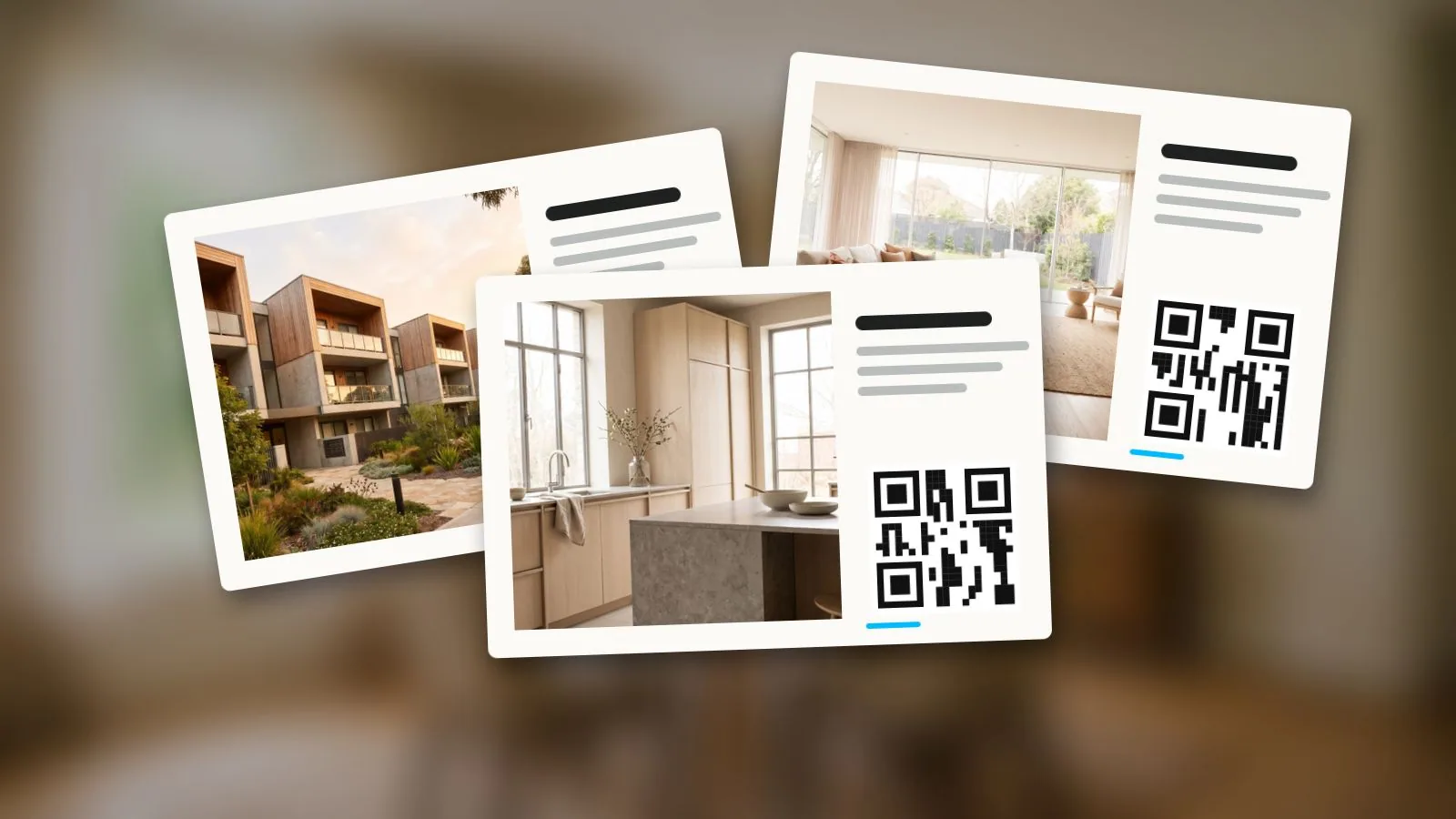
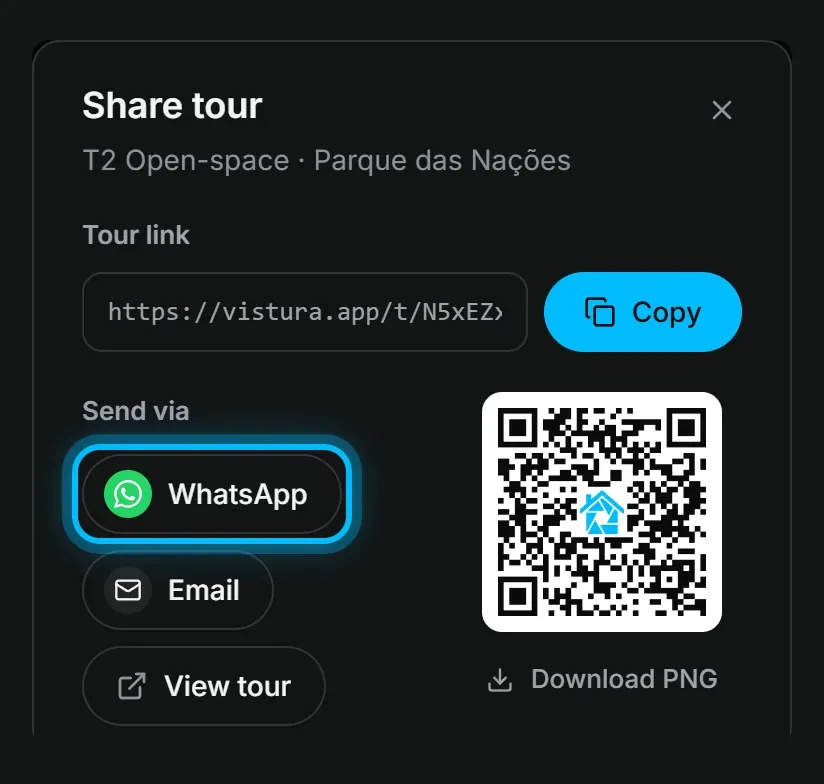
Templates 1, 2, 3 and 5 give people a reason to click: the tour. On Vistura, the "Share tour" sheet has an "Email" button that opens a new message in your mail app with the tour link already tagged as email, and "Images for social media" makes a "Link post" image with a QR code and the short link, which you can put at the top of the email and link to the tour. On Pro, that image carries your logo and colours.
1. Just listed
For buyers and your sphere. It fits into the launch plan for one listing.
- Subject: Just listed on [Street]: walk through it tonight
- Preview: [3] bedrooms, [garden], [price]
Hi [Name],
[Address] is on the market today: a [3-bedroom house] in [area], at [price].
[Fact 1: south-facing garden]. [Fact 2: new kitchen]. [Fact 3: ten minutes' walk to the station].
You can walk through every room from your sofa before you book a viewing: [tour link].
If it is right for you or someone you know, reply and I will arrange a visit.
[Your name]
2. Open house invite
Send it a few days ahead, once you have done everything before the open house.
- Subject: Open house [Saturday] [11 to 1], [Street]
- Preview: See it online first, then come and see the light
Hi [Name],
I am opening [address] on [day, date] from [time] to [time].
Parking: [on the street / in the driveway next door].
Want to see it first? The full tour is here: [tour link].
Reply if you would like a private time instead.
[Your name]
3. Just sold
For your sphere and a farm area, and only with the seller's permission to share it. It pairs well with the just sold post on social media.
- Subject: Just sold on [Street]
- Preview: What it means for homes near you
Hi [Name],
[Address] has just sold, in [number] days. (Share the days and any detail only with the seller's permission.)
Buyers are still looking in [area], and some missed out on this one.
Thinking about moving? I can tell you what yours is worth, with no obligation. Just reply to this email.
[Your name]
4. Monthly local note
For past clients and your sphere. Use three numbers from your MLS or public records, and name the source in the email.
- Subject: What sold near you in [month]
- Preview: Three numbers and one question
Hi [Name],
In [area] last month: [number] homes sold, the middle price was [price], and homes took [number] days to sell (source: [MLS or public records]).
In short: [one sentence on what it means, such as "well-priced homes are still selling fast"].
Are you curious what this means for your home? Reply and I will send you a quick estimate.
[Your name]
5. New match for a buyer
Only for buyers who asked to hear about homes like this.
- Subject: A [3-bedroom with a garden], as you asked
- Preview: In [area], under [budget]
Hi [Name],
You said [3 bedrooms, a garden, under $X, near (school or station)]. This one fits: [address], [price].
Walk through it here before anyone else books a viewing: [tour link].
Shall I hold a viewing slot for you this week?
[Your name]
6. Home anniversary
For a past client. Short, personal, no pitch.
- Subject: A year in [Street] already, [Name]
- Preview: Happy home anniversary
Hi [Name],
A year ago today you got the keys to [address]. I hope it feels like home.
If you ever want to know what it is worth now, for insurance or just out of curiosity, reply and I will send a free update.
[Your name]
7. Referral ask
For past clients who were happy with your work.
- Subject: A small favour, [Name]
- Preview: Only if someone comes to mind
Hi [Name],
Working with you on [address] was a pleasure. If a friend or colleague is thinking about buying or selling, I would be glad to help them the same way. Just forward this email or reply with their name.
Thank you,
[Your name]
8. Still want these?
For contacts you have not emailed in a year. Asking again cleans the list before you send anything else.
- Subject: Still want my emails?
- Preview: One click to stay, one to leave
Hi [Name],
I have not written in a while, and I only want to email people who find it useful.
Want to keep hearing about [area] homes and prices? [Link: Yes, keep me on the list].
If not, [Link: unsubscribe] and I will not write again.
[Your name]
Send it the right way: the rules Gmail, Yahoo and the FTC set
Use an email marketing tool, not BCC from your inbox. Mailchimp, Brevo or the email feature of your CRM are examples (see if your CRM sends email). Google Workspace allows no more than 500 external recipients per message and 3,000 external recipients a day (Google, updated 10 Nov 2026), and a BCC email has no unsubscribe link.
Gmail's rules (Google):
- Every sender: SPF or DKIM on your domain, and a spam rate below 0.3% (Google suggests aiming below 0.10%).
- Over 5,000 emails a day to Gmail: SPF, DKIM and DMARC, a From address aligned with your SPF or DKIM domain, and one-click unsubscribe on marketing email.
Yahoo's rules (Yahoo):
- Every sender: SPF or DKIM, spam rate below 0.3%.
- Bulk senders: both SPF and DKIM, a DMARC policy of at least p=none, one-click unsubscribe, and unsubscribes honoured within 2 days.
In plain words: send from your own domain (you@yourname.com, not a free address) and let your email tool walk you through the DNS records it needs.
CAN-SPAM, as a checklist (FTC):
- An accurate From name and address.
- An honest subject line.
- Say clearly that the email is an ad.
- Include your valid physical postal address.
- Tell people how to opt out, and make it easy.
- Honour opt-outs within 10 business days.
- You stay responsible for any company that sends email for you.
Each email that breaks the law can cost up to $53,088, per the FTC page. State laws and your brokerage's advertising rules (such as showing the brokerage name) may add more: check with your broker or a lawyer for your state. This guide is not legal advice.
Measure clicks, replies and visits, not opens
Open rates look precise but are not. Apple says that without Mail Privacy Protection, "Email senders may learn when and how many times you opened their email"; with it, Protect Mail Activity "downloads remote content in the background by default" (Apple). So many emails count as opened when nobody read them. Watch these instead:
- Clicks on the one link in the email.
- Replies, the best sign of all.
- Unsubscribes and complaints after each send.
- Visits to the listing that came from the email.
To count visits, tag each link, for example:
?utm_source=newsletter&utm_medium=email&utm_campaign=just-listed-mill-lane
On Pro, Vistura's Statistics count visits from those links under "Email" in "Where visitors come from" (links tagged email or newsletter, and visits from webmail such as Gmail or Outlook), and "Campaigns" lists each campaign tag by name with its visits, so you see which email brought people to the tour. Short links keep the tags. For the seller, the "Owner report" sends the tour's visits and contact requests by email or as a PDF; on Pro it adds where visitors came from, the rooms they looked at most and your logo. Every new account gets 14 days of Pro with no card, and the plans are on the pricing page.
Mistakes that land you in spam
- Buying or scraping a list.
- One huge BCC email from your inbox.
- No unsubscribe link, or one that does not work.
- Sending only listings, with nothing useful in between.
- Months of silence, then a burst of emails.
- An email that is one big image with no text.
- Subjects like "Free!!!" or "Act now".
- No physical postal address at the bottom.
Start this week
- Export the contacts who agreed to hear from you, and note where each came from.
- Pick an email tool and add the contacts in their segments.
- Set up your own domain with SPF, DKIM and DMARC, following the tool's guide.
- Send template 6 or template 8 first: they rebuild trust before you send any listing.
- Tag every link, then check clicks, replies and visits a week later.
Frequently asked questions
How often should a real estate agent send marketing emails?
There is no official number. A sensible starting point is once a month for past clients and your sphere, and only when a matching home comes up for active buyers. Then let your own figures decide: if unsubscribes or complaints rise after a send, slow down; if people reply and click, you can keep the pace.
Can I email people who signed in at my open house?
You can reply about the home they visited. Adding them to a newsletter is safer when the sign-in sheet had a separate box for it and they ticked it. In the US, CAN-SPAM lets you email without prior consent as long as you follow its rules, but people who never asked complain more, and Gmail and Yahoo watch your spam rate. In the EU, marketing email needs prior consent.
Do I need SPF, DKIM and DMARC if I only send a few hundred emails?
Gmail and Yahoo ask every sender for SPF or DKIM. DMARC is required by Gmail above 5,000 emails a day and by Yahoo for bulk senders, so a small list is not obliged to have it. Set it up anyway: it takes one DNS record, your email tool's setup guide walks you through it, and it stops others from sending mail that pretends to come from your domain.
Why are my real estate email open rates unreliable?
Apple Mail's Protect Mail Activity downloads remote content in the background, including the tracking pixel that counts an open. So an email can show as opened when nobody read it. Clicks, replies and visits to the listing are better signs that an email worked.
Should I send listings to my whole list?
No. Send a listing to the buyers whose stated needs it matches, and to your sphere only when it is a good reason to talk about the area. Choose who gets a listing by what people told you they want, never by a protected trait such as race, religion or family status, which US fair housing rules forbid.