360 camera for real estate: 6 models compared for 2026
Which 360 camera for real estate to buy in 2026: six models with price, resolution and HDR from the makers, and when your phone is enough to start.
The best 360 camera for real estate in 2026 is a two-lens model you trigger from your phone, with multi-exposure HDR for rooms with bright windows: the Insta360 X6, X5 or X4 Air, the Ricoh Theta X or Z1, or the DJI Osmo 360. What decides between them is the light in the homes you shoot, the platform your tours go on and how much you want to spend. And for a first listing, your phone is enough: here is how to take a 360 photo on iPhone.
Below: the six cameras side by side, what each spec means in a real room, and a short list to decide.
360 cameras for real estate compared (2026)
The table takes every figure from the maker's own pages, manuals or press releases, or from the press where the maker's page could not be read. Prices are in US dollars, checked on 31 Oct 2026, and they vary by country and promotion. Insta360 in particular runs frequent offers, so check the store on the day.
| Camera | Price | 360 photo | Sensor | HDR / bracketing | Zillow 3D Home / Matterport |
|---|---|---|---|---|---|
| Insta360 X6 (Aug 2026) | $699.99 Standard Bundle | 120 MP, 15520 x 7760 | 1/1.1-inch | Photo with HDR and AEB | Not on Zillow's list / check Matterport's list |
| Insta360 X5 | $549 at launch; check stock | 72 MP | Not stated | HDR photo | Yes / Yes |
| Insta360 X4 Air (Oct 2025) | About $399.99 | 29 MP, 7680 x 3840 | 1/1.8-inch | HDR Photo mode | Not on Zillow's list / check Matterport's list |
| Ricoh Theta X | See Ricoh's store | 60 MP, 11008 x 5504 | 1/2.0-inch | HDR, multi-bracket, HDR-DNG | Yes / check Matterport's list |
| Ricoh Theta Z1 | $999.95 list | 23 MP, 6720 x 3360 | 1-inch | HDR, handheld HDR, multi-bracketing, RAW (DNG) | Yes / check Matterport's list |
| DJI Osmo 360 | $549.99 at launch | 120 MP, 2:1 | 1/1.1-inch | Check DJI's spec page for HDR photo | Not on Zillow's list / not natively |
The Zillow column comes from Zillow 3D Home's App Store listing, and the Matterport answers for the X5 and the Osmo 360 from Matterport's own camera guide, a vendor page. DJI's import status in the US changes, so check the Osmo 360 is sold in your country.
Older guides still recommend the Insta360 ONE RS 1-inch 360 Edition. Retailers now list it as used or discontinued: WEX says it will not receive new stock.
What matters when you photograph rooms
A spec sheet lists dozens of numbers. For interiors, four of them and one habit make the difference.
Dynamic range: windows and dark corners
A living room has a bright window and a dark corner in the same frame, and a 360 photo always includes both. HDR solves it: the camera takes several exposures, from dark to bright, and merges them into one image where the view outside and the shadows under the sofa both show detail.
Ricoh lists multi-bracket shooting on the Theta Z1 and the Theta X (Ricoh's comparison sheet). Insta360's manual lists AEB, auto exposure bracketing, for the X6.
The catch is movement. Ricoh's own guide says that for its indoor HDR mode "it is necessary to shoot on a tripod" (Ricoh blog): the camera must stay still between exposures. Anyone in the room moves between them too, so step out of the room before you shoot.
Sensor size, not megapixels
A bigger sensor gathers more light, and that shows in dim rooms: a hallway with no window, a bedroom on a grey afternoon. Resolution decides something else: how far a buyer can zoom into a detail before it blurs.
The two Ricoh cameras show the trade-off. The Theta Z1 has two 1-inch sensors and makes 23 MP photos; the Theta X has smaller 1/2.0-inch sensors and makes 60 MP photos (Ricoh). Ricoh calls the Z1 "the flagship model with the best image quality in the series" (Ricoh). The X6 and the Osmo 360 pair a large 1/1.1-inch sensor with 120 MP. Pick the spec that answers your problem: sensor for dim homes, resolution for zoom.
Stitching
Two lenses, back to back, each see a little more than half the sphere. The camera joins the two halves along a seam that runs down its sides. Keep furniture, door frames and kitchen islands a step away from the sides of the camera, and point a lens, not the side, at the room's main feature.
Height
Zillow's 360 camera guide says to mount the camera at roughly chest height, 4 to 5 feet. Use the same height in every room. When a buyer moves from the hall to the kitchen, the floor and the worktops stay where the eye expects them, and the tour feels like walking through the home.
The phone app
Each maker has a phone app that triggers the camera: the Insta360 app for the X range, the RICOH360 app for the Theta. Set up the shot, walk out of the room and press the shutter from the phone. Ricoh's guide also suggests a 10-second timer to find a hiding place.
The tripod in the nadir, and how to hide it
The nadir is the spot straight below the camera. A 360 photo sees everything, so it sees whatever holds the camera up.
A thin pole can disappear. Insta360 explains that the overlap between the two lenses "gives Insta360's stitching software the freedom to decide exactly where to stitch", so the seam runs over the stick (Insta360). Its manual adds a condition: the stick must be "completely straight and parallel with the camera. If the stick is not straight, it will not appear completely invisible" (Insta360 manual). That is why Insta360's Virtual Tour Bundle pairs the camera with a 114 cm invisible selfie stick and a tripod.
The tripod's legs and base sit further down and wider than the stick, outside the overlap. They still show as a small patch on the floor. And you need them: Zillow's FAQ says that with its supported cameras "you will need a tripod or monopod", and HDR needs a camera that does not move.
So you cover the spot afterwards. In a Vistura tour, open "Hide the tripod". On Pro and Business, choose the cover once and press "Apply to all photos": every room of the tour is done in one go, and the original photo is kept. "Clean" fills the tripod in from the floor around it, or you cover it with a colour disc or your own logo. For a single photo, the free nadir patch tool does the same in the browser, with no sign-up and no watermark, and opens files up to 16384 x 8192, so even the X6's 120 MP photos fit. If a photo leans, the free tool to straighten a 360 photo fixes it from the room's vertical lines.
Check the platform before you buy
This section is for the US. If you do not build tours in Zillow 3D Home or Matterport, skip to the next one.
Zillow 3D Home builds a tour and an interactive floor plan with a supported 360 camera. The list covers the Insta360 X2 to X5 and the ONE RS 1-inch, and the Ricoh Theta Z1, X, SC2 and V. The X6 and the X4 Air are not on it as of October 2026. If you build your tours in Zillow 3D Home, check its list before you pay.
Matterport's camera guide, written by Matterport as a vendor, lists the X5 and the X3 as compatible and says the DJI Osmo 360 is "Not Matterport-compatible natively". For the X6, the X4 Air and the Ricoh cameras, check Matterport's list.
Platforms that accept a standard 360 JPEG, a 2:1 equirectangular image, take photos from all six cameras without a compatibility list.
Is your phone enough to start?
Yes, for a first listing or a tight deadline. A phone makes a 360 photo of a room by taking a ring of photos from one spot and joining them. The full method, with the technique that keeps a room sharp, is in the guide to take a 360 photo on iPhone.
What a camera adds:
- One press for the whole sphere. The camera sees every direction at once.
- People can move. Someone walking past during a single shot does not break the image.
- HDR in camera. Bracketed exposures for rooms with big windows, merged for you.
- Speed on a large home. One press per room adds up when a home has a dozen of them.
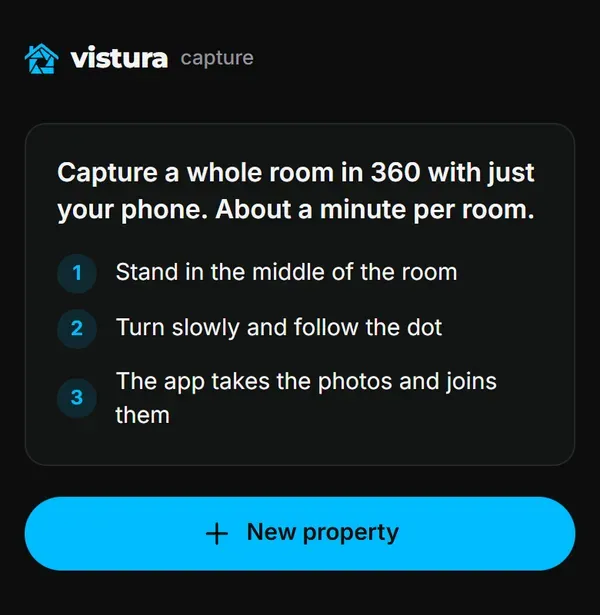
Vistura Capture turns the phone you already have into a 360 camera. It runs in the phone's browser: "Free to capture. Nothing to install." It guides you round the room, takes about 24 photos by itself and joins them into one 360 photo, a whole room in under a minute. There is no kit to buy. CloudPano, by comparison, sells its phone capture with a $117 kit: a rotator, a fisheye lens and a mini tripod. The photos are "standard equirectangular 360° JPEG files with 360° metadata", so they open in other viewers and platforms too.
A rule of thumb: start with the phone. Buy a camera when you list every month, shoot large homes, or want bracketed HDR in rooms with big windows. The camera is a one-off cost; see what a virtual tour costs for the rest of the budget.
After the shoot: one tour for any camera
Vistura takes 360 photos from any 360 camera ("From a 360° camera, or 360° photos you already have.") and from Vistura Capture, in the same tour. Start with the phone today, add an X6 or a Theta Z1 next year, and keep every tour you have already built. Once the tour is online, every plan shows every lead in full and the visits and leads for each listing. Pro and Business add unlimited tours online, visit booking in your calendar, "Before you call" (what each lead looked at), advanced statistics with the history from day one, and your logo and colours with no Vistura badge. Business includes 3 people. Free lets you try it with 3 tours online at a time. At the founder price, Pro is US$24 a month, or US$19 a month paid yearly, and Business US$49, or US$39 paid yearly, for accounts that subscribe before 31 December 2026, kept while the subscription stays active. The plans page lists what each one includes.
For what makes a tour sell a home once the photos are in, read the guide to the real estate virtual tour.
Which one to buy
Every pick below comes from the table above.
- Homes with big windows and dim corners, your top listings: a large sensor with bracketing. The Theta Z1 has 1-inch sensors and multi-bracketing; the X6 has a 1/1.1-inch sensor with AEB. The Osmo 360 has the same sensor size; check DJI's page for its HDR photo mode.
- You build tours in Zillow 3D Home: a model on Zillow's list, such as the X5, the Theta X or the Theta Z1.
- The lowest price for a 360 camera: the X4 Air, at about $399.99.
- The most resolution for zoom: the X6 or the Osmo 360, at 120 MP.
- Not sure yet: the phone first, and a camera when your listings call for one.
Frequently asked questions
Does the Insta360 X6 work with Zillow 3D Home?
Not as of October 2026. Zillow's list of supported cameras covers the Insta360 X2 to X5, the ONE RS 1-inch 360 Edition and the Ricoh Theta V, Z1, SC2 and X. The X6 is not on it. Zillow can add models at any time, so check its list on the day you buy if you build tours in Zillow 3D Home.
Can I mix photos from different 360 cameras, or from my phone, in one tour?
Yes, on any platform that takes standard 360 JPEG files (2:1 equirectangular), and in Vistura photos from a camera and from the phone sit in the same tour. Shoot every room at the same height, whatever the device, so moving from one photo to the next feels like one walk through the home.
Do I need RAW (DNG) for real estate 360 photos?
Not to start. The camera's HDR mode gives you a finished JPEG that is ready to upload. RAW files are for editing on a computer: the Ricoh Theta Z1 saves RAW DNG, and the Theta X offers HDR-DNG. Add RAW to your routine once you edit every photo anyway.
What height should the camera be in a room?
Zillow's guide says roughly chest height, 4 to 5 feet (about 1.2 to 1.5 metres). Keep that height in every room: when the viewer jumps from the hall to the kitchen, the floor and the furniture stay where the eye expects them, and the tour feels like walking through the home.